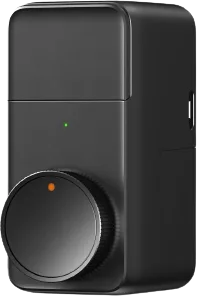
Loock
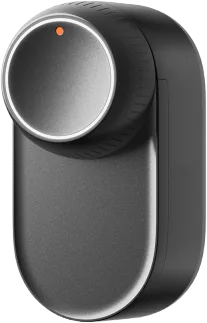
Loock Xiaomi Smart Lock Pro
Locks · Security
Partly worksWorks in Apple HomeCloud
1 report: 1 says it partly works.
Reported with 1 integration: Xiaomi Home.
What people report
| Integration | In Home Assistant | In Apple Home | What they said | Source |
|---|---|---|---|---|
| Xiaomi Home | Partly works Cloud | Works in Home Lock state works when added directly to Apple Home | Only reports closed, never open; HomeKit shows true stateSaved copyloock.lock.t1pro 这个设备有点老了,未完全支持 MIoT-Spec-V2 协议。“门 工作状态”属性(siid=5 piid=1)只上报 value=2 (close), 不上报 value=1 (open),因此 xiaomi_home 只能显示 close ,无法显示 open 。并且,设备也不是立即上报 value=2 (close) ,实际 12:48:32 关门,而设备在 12:49:02 才上报 value=2 (close) : [code] 12:48:03 开门、12:48:32关门,设备上报了相应的 profile 协议消息,米家 APP 可以显示对应的锁事件。xiaomi_home 不支持 profile 协议,因而无法处理这些消息: ``` 2025-11-06 12:48:03.559 DEBUG (6a0 Excerpt saved from GitHub on 2026-10-23. | Issue #1480 · 2025-10 |
Each row is one report from a GitHub thread, an integration’s docs, or r/homeassistant. Check the date and the linked source before you buy.
In ReReHome
Once Home Assistant’s HomeKit Bridge shares it, this device reaches Apple Home as a HomeKit accessory behind your Home Assistant bridge, so ReReHome shows and controls it like any other.
Identifiers
| Brand | Loock |
|---|---|
| Model | loock.lock.t1pro |
| Category | Locks |