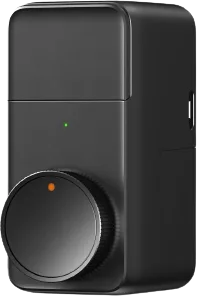
Generic
Smart lock via HomeKit Bridge
Locks · Security
Partly worksApple Home issues
1 report: 1 says it partly works.
Reported on r/homeassistant.
What people report
| Integration | In Home Assistant | In Apple Home | What they said | Source |
|---|---|---|---|---|
| Not named | Partly works | Broken in Home Locking transition shows Open briefly, spamming notifications | Automation-triggered Locking state makes Home report Locked then Open then LockedSaved copy@011V32 I think I have fixed the multiple notifications with this work around. I believe this is a HomeAssistant bug regarding locks than a HomeKit integrations bug as you can see that HomeAssistant changes the state three times on the lock. My workaround involves setting an assumed state that is valid for a set time then gets the updated state after the timer. This prevents the flipping back and forth. Quite a lot of yaml to solve this though. ``` homekit: - name: Front Door Lock port: 21063 filter: include_entities: - lock.front_door_lock_homekit entity_config: lock.front_door_lock_homekit: … Excerpt saved from GitHub on 2026-10-23. | Issue #146741 · 2025-06 |
Each row is one report from a GitHub thread, an integration’s docs, or r/homeassistant. Check the date and the linked source before you buy.
In ReReHome
Once Home Assistant’s HomeKit Bridge shares it, this device reaches Apple Home as a HomeKit accessory behind your Home Assistant bridge, so ReReHome shows and controls it like any other.
Identifiers
| Brand | Generic |
|---|---|
| Category | Locks |