Verisure
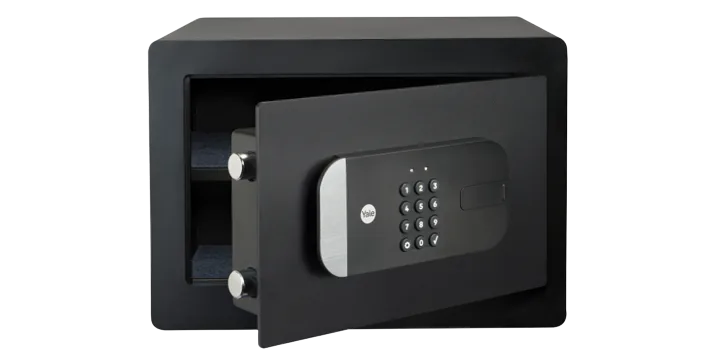
Verisure alarm panel
Security Systems · Security
Partly worksApple Home issuesCloud
4 reports: 2 say it partly works, 2 say it doesn’t work.
Reported with 1 integration: Verisure.
What people report
| Integration | In Home Assistant | In Apple Home | What they said | Source |
|---|---|---|---|---|
| Verisure | Partly works Cloud | Docs say it may not work in France, Ireland, Italy, Spain | Docs | |
| Verisure | Partly works Cloud | Partly in Home Arm/disarm errors, stuck Arming; needs code in YAML config | Works in HA with code; HomeKit lacks code entry in UISaved copyThe problem I can no longer operate my alarm from HomeKit. Any action to arm or disarm it results in an error in the Home Assistant log. Performing the same action from within Home Assistant itself with the Verisure alarm panel does work. ### What is version of Home Assistant Core has the issue? core-2021.4.2 ### What was the last working version of Home Assistant Core? core-2021.3.4 ### What type of installation are you running? Home Assistant Supervised ### Integration causing the issue Verisure ### Link to integration documentation on our website … Excerpt saved from GitHub on 2026-10-23. | Issue #48972 · 2021-04 |
| Verisure | Not working | Broken in Home Arming from Home app fails: 'requires a code but none given' | Broke in HA 2024.6 after alarm code validation changeSaved copyThe problem I have a Verisue alarm that is available as an alarm panel in Home Assistant through the Verisure integration. Thanks to the HomeKit bridge in Home Assistant I can use it in HomeKit to arm and disarm. But since Home Assistant 2024.6 the arm function does no longer work stating that I did not provide a code to arm it. Although the code is passed along in the YAML configuration of HomeKit in Home Assistant. I think the change made to the alarm panel to being able to provide a default code is the culprit here... … Excerpt saved from GitHub on 2026-10-23. | Issue #119541 · 2024-06 |
| Verisure | Not working | Broken in Home Arming from Home app fails asking for a code | Default-code change in 2024.6 stopped HomeKit arming despite code in YAMLSaved copyThe problem I have a Verisue alarm that is available as an alarm panel in Home Assistant through the Verisure integration. Thanks to the HomeKit bridge in Home Assistant I can use it in HomeKit to arm and disarm. But since Home Assistant 2024.6 the arm function does no longer work stating that I did not provide a code to arm it. Although the code is passed along in the YAML configuration of HomeKit in Home Assistant. I think the change made to the alarm panel to being able to provide a default code is the culprit here... … Excerpt saved from GitHub on 2026-10-23. | Issue #150089 · 2025-08 |
Each row is one report from a GitHub thread, an integration’s docs, or r/homeassistant. Check the date and the linked source before you buy.
In ReReHome
Once Home Assistant’s HomeKit Bridge shares it, this device reaches Apple Home as a HomeKit accessory behind your Home Assistant bridge, so ReReHome shows and controls it like any other.
Identifiers
| Brand | Verisure |
|---|---|
| Category | Security Systems |