Xiaomi
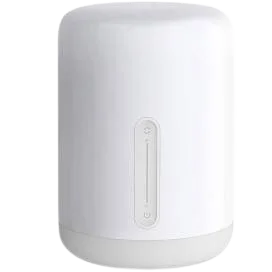
Xiaomi Mijia Desk Lamp
Lights · Lighting
Not workingLocal
1 report: 1 says it doesn’t work.
Reported with 1 integration: Yeelight.
What people report
| Integration | In Home Assistant | In Apple Home | What they said | Source |
|---|---|---|---|---|
| Yeelight | Not working Local | Unavailable due to type detection failure; duplicate issueSaved copy… 0.118.5 in docker Integration with yeelight: https://www.home-assistant.io/integrations/yeelight/ ## Problem-relevant `configuration.yaml` In the past, the Xiaomi Mijia Smart LED Desk Lamp worked fine. But not, it does not. I tried configuration from UI and from yaml. The type of the device is lam1 and the model is MJTD01YL ## Traceback/Error logs (MainThread) [homeassistant.components.yeelight.light] Cannot determine device type for 192.168.X.X, Desktop. Falling back to white only ## Additional information LAN control is enabled, I turn it off and on multiple times to see if HA could … Excerpt saved from GitHub on 2026-10-23. | Issue #43987 · 2020-12 |
Each row is one report from a GitHub thread, an integration’s docs, or r/homeassistant. Check the date and the linked source before you buy.
In ReReHome
Once Home Assistant’s HomeKit Bridge shares it, this device reaches Apple Home as a HomeKit accessory behind your Home Assistant bridge, so ReReHome shows and controls it like any other.
Identifiers
| Brand | Xiaomi |
|---|---|
| Model | MJTD01YL |
| Category | Lights |