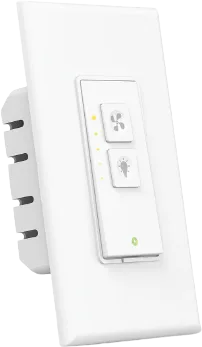
AC Infinity
AC Infinity UIS AI+ Controller
Fans · Climate
Works
1 report: 1 says it works.
Reported on r/homebridge without a plugin from our list.
What people report
| Plugin | Status | What they said | Connects | Source |
|---|---|---|---|---|
| homebridge-acinfinity | Works | Fans and temp/humidity sensors appear via UIS Cloud; author uses itSaved copy… have a single fan installed with a T6. The plugin shows the correct fan speed in Home, but when I try to adjust it I get \[07/08/2025, 11:56:24\] \[AC Infinity\] Failed to set port speed: ACInfinityClientRequestFailed \[ACInfinityClientError\]: Request failed: {"msg":"Data saving failed. Please try again later.","code":403} at ACInfinityClient.setDeviceModeSettings (/usr/local/lib/node\_modules/homebridge-acinfinity/src/api/ACInfinityClient.ts:216:15) at processTicksAndRejections (node:internal/process/task\_queues:95:5) at ACInfinityFanPort.setSpeed … Excerpt saved from Arctic Shift Reddit archive on 2026-10-22. | Connection not stated | Reddit thread · 2025-07 |
Each row is one report from a plugin’s GitHub issues, pull requests, discussions, wiki or docs, or from r/homebridge. Check the date and the linked thread before you buy.
In ReReHome
Once a Homebridge plugin publishes it, this device reaches Apple Home as a HomeKit accessory behind your Homebridge bridge, so ReReHome shows and controls it like any other.
Identifiers
| Brand | AC Infinity |
|---|---|
| Model | AI+ Controller |
| Category | Fans |
Also reported as
- AC Infinity UIS controller (AI+ / 69 series)