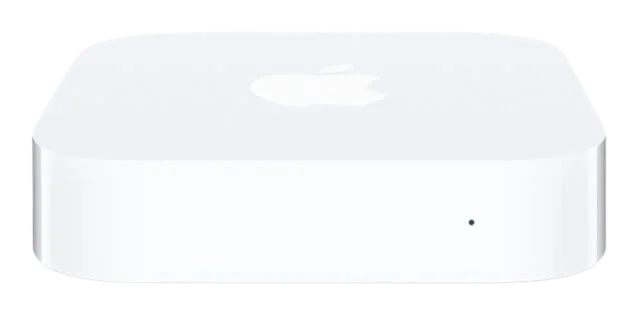
AirPort Express
homebridge-airport-express-connected · v1.4.2
Adds an occupancy sensor that shows when an AirPlay 2 device is connected to an AirPort Express.
What it says it supports
Brands
- Apple
Devices it names
- AirPort Express 2nd Gen
Shows up in Apple Home as from its README
What people report
Detects AirPlay connection to AirPort Express via mDNS; HomePod-initiated playback fixed in v1.2.3-1, but play/pause state cannot be detected.
- Works1
- Won’t be supported1
| Device | Status | What they said | Source |
|---|---|---|---|
| Apple AirPort Express | Works | AirPlay connected sensor works; HomePod/Siri-started playback fixed in v1.2.3-1Saved copyHonestly, I am surprised that you managed to get the old plugin to work with the new home architecture (or did you not update?). Can you connect to the AirPort Express the third way and then send me some debug logs? No problem if there are a lot of logs. Just make sure to only include the Plugin logs (Config UI > Plugins > Settings Gear of AirPort Express Connected > Plugin Logs. The old plugin (homebridge-airport-express-playing) does work, but is definitely slow to respond and also breaks all of my Govee leak detector devices. Anyway, this appears to be resolved in … Excerpt saved from GitHub on 2026-10-22. | Issue #45 · 2024-01 |
| Apple AirPort Express playing/paused sensor | Won’t be supported | Playing state not exposed via mDNSSaved copyCurrent Situation Plug-in works well - I’ve successfully integrated the speaker sensors into my automations so motion in certain rooms will play certain ambient sounds depending on time/day/weather/etc (when Airplay is off). Would love to see a second sensor (motion sensor) for when the AirPort Express is playing (detected) or paused/stopped (not detected) so automations won’t restart playing sounds every few minutes when motion is detected again. Proposed Change Second sensor for AirPort Express playing / paused. Additional Context Alternative solution: I could possibly add a dummy sensor … Excerpt saved from GitHub on 2026-10-22. | Issue #200 · 2024-11 |
Gathered from the plugin’s GitHub issues, pull requests, discussions, wiki and docs, and from r/homebridge. These are individual reports, so check the linked thread and the date before you buy.
How it connects
Local
mDNS request data on the LAN
Compatibility
| Verified by Homebridge | Yes |
|---|---|
| Homebridge versions | ^1.9.0 || ^2.0.0-beta.0 |
| Homebridge 2.0 | Yes |
| Node.js | ^22.14.0 || ^20.18.3 || ^18.20.7 |
| Settings in Homebridge UI | Yes |
| Matter | No |
| Platform name | AirportExpressConnected |
| License | MIT |
Community signals
| Downloads a week | 23 |
|---|---|
| Downloads a month | 170 |
| GitHub stars | 7 |
| Open issues | 1 |
| Closed issues | 6 |
| Last code push | 2026-10-21 |
| Latest version | 1.4.2 (2025-03-08) |
| First published | 2023-08-27 |
| Releases | 47 |
In ReReHome
Whatever this plugin publishes reaches Apple Home as a normal HomeKit accessory behind your Homebridge bridge, so ReReHome shows and controls it like any other.
Bridges get their own settings page listing the accessories behind them.