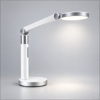
Dyson Pure Cool
homebridge-dyson-pure-cool · v2.9.5
Adds Dyson Pure Cool, Humidify+Cool and Hot+Cool purifiers to HomeKit as air purifiers with sensors.
What it says it supports
Brands
- Dyson
Devices it names
- Pure Humidify+Cool PH01-PH04
- Pure Cool Tower TP04/TP07/TP09/TP11
- Pure Cool Desk DP04
- Pure Hot+Cool HP04/HP06/HP07/HP09
- Pure Cool Link TP02/DP01/HP02
- Purifier Big+Quiet BP02-BP06
- HushJet HJ10
Shows up in Apple Home as from its README
Sensor readings in its code
What people report
Hot+Cool HP02/HP04/HP06 and Pure Cool TP04/TP06/TP11 work; the maintainer adds new models quickly from the logged product type. Older Link models are unsupported.
- Works6
- Partly works2
- Won’t be supported1
| Device | Status | What they said | Source |
|---|---|---|---|
| Dyson Pure Cool | Works | Installed easily in fresh Homebridge setupSaved copy… protect so today I reinstalled macOS, installed native homebridge which was just 2 terminal commands, I then installed 3 plugin (LG WebOS, Unifi Protect and Dyson Pure Cool) and the whole process took and an hour max, I had no issues along the way and all was done via the web GUI. Im just so amazed how easy it has become and I want to say a big thank you to the Homebridge developers and the developers of the 3 plugins, you guys really are amazing and I really appreciate your hard work. Anyone reading this and is on the fence about homebridge now is definertly the time to try it Excerpt saved from Arctic Shift Reddit archive on 2026-10-22. | Reddit thread · 2020-10 |
| Dyson Pure Cool Cryptomic TP06 | Works | Works out of the box as TP04; model name shows wrongSaved copyHello Lukas, I recently bought the new Dyson Pure Cool Cryptomic air purifier (TP06). Would it be possible to support it in the upcoming versions? I guess only the proper name should be added as it has the same features of its predecessor TP04. Excerpt saved from GitHub on 2026-10-22. | Issue #77 · 2020-05 |
| Dyson Pure Hot+Cool HP02 | Works | Initial support added for HP02/HP04 as heating/cooling deviceSaved copy… of the sign-in and errors (I pulled out the serial number and IP address of the unit, though - if you need those let me know): [1/2/2020, 2:37:39 PM] [DysonPureCoolPlatform] Signed in. [1/2/2020, 2:37:39 PM] [DysonPureCoolPlatform] XXX-CA-XXXXXXXX - MQTT connection requested for XXX.XXX.XX.XX. [1/2/2020, 2:37:39 PM] [DysonPureCoolPlatform] Got devices from the Dyson API. [1/2/2020, 2:37:40 PM] [DysonPureCoolPlatform] XXX-CA-XXXXXXXX - MQTT connection established. [1/2/2020, 2:37:40 PM] [DysonPureCoolPlatform] XXX-CA-XXXXXXXX - MQTT message received: … Excerpt saved from GitHub on 2026-10-22. | Issue #31 · 2019-12 |
| Dyson Pure Hot+Cool HP04 | Works | Air quality fixed to include NO2 after reportSaved copyHi @philippe317, Thanks for reporting. Originally, I thought that the NO2-density is not included in the overall air quality calculation by the Dyson app, see https://github.com/lukasroegner/homebridge-dyson-pure-cool/blob/94ef6b6425a56e7b0cac7adf81f8eba8404b9a8c/src/dyson-pure-cool-device.js#L367 Can you please make some measurements for the next few days with: NO2 (from HomeKit) => Air quality (in Dyson app) Example for the values you provided: 80 => Medium If we gather some data, we can approximate the function that Dyson uses to map NO2 to air quality. Thank you! Excerpt saved from GitHub on 2026-10-22. | Issue #45 · 2020-02 |
| Dyson Pure Hot+Cool HP06 | Works | Shares HP04 model number; filter life value fixed in v1.6.2Saved copyHi @Ti-Bo, Can you tell me what device model is shown in the Home app? The HP06 is currently not supported, however, as it is shown in your Home app, it must have the same model number as another Dyson device. Excerpt saved from GitHub on 2026-10-22. | Issue #63 · 2020-04 |
| Dyson Purifier Cool PC1 (TP11) | Works | Added as supported device; same product type as TP04Saved copyHello I also now have the Dyson Purifier Cool PC1 Purifying fan, can you pretty please add support for it? I think it’s also known as TP11 I also have the Dyson Purifier Cool Formaldehyde version which this plugin supports, so apart from the Formaldehyde bit the PC1 is very similar. Let me know if I can get you anything to help add its support. Many thanks in advance. Excerpt saved from GitHub on 2026-10-22. | Issue #361 · 2025-06 |
| Dyson Pure Cool Link DP01 | Partly works | Product type 469 unsupported by default; hacked load shows wrong air quality and sensors at 0Saved copyLOg when trying to install npm install -g https://github.com/lukasroegner/homebridge-dyson-pure-cool.git#development-dp01: 0 info it worked if it ends with ok 1 verbose cli [ 1 verbose cli 'C:\\Program Files\\nodejs\\node.exe', 1 verbose cli 'C:\\Program Files\\nodejs\\node_modules\\npm\\bin\\npm-cli.js', 1 verbose cli 'install', 1 verbose cli '-g', 1 verbose cli 'https://github.com/lukasroegner/homebridge-dyson-pure-cool.git#development-dp01' 1 verbose cli ] 2 info using [email protected] 3 info using [email protected] 4 verbose npm-session 35ff22061061f18f 5 silly install loadCurrentTree 6 silly … Excerpt saved from GitHub on 2026-10-22. | Issue #34 · 2020-01 |
| Dyson Pure Hot+Cool HP1 (HP11) | Partly works | Added but thermostat missing until productTypeInfo.js edited; user fix exposes temperature controlSaved copyFIX: add the following to `productTypeInfo.js` [code] Restart Child bridge and temperature control will be exposed; model will show as HP11 (NB. HP11 is the correct model, even though it is marketed as HP1 in Europe; HP1 is the original without the smart control) Excerpt saved from GitHub on 2026-10-22. | Issue #368 · 2025-11 |
| Dyson Pure Cool Link TP02 | Won’t be supported | Older Link models not supported at the time; owner only planned supportSaved copyHi, I am unable to add the accessory to Homebridge. The launcher starts, however I get this error each time I start Homebridge. [2019-7-25 23:23:19] [DysonPureCoolPlatform] Cached accessories loaded. [2019-7-25 23:23:19] [DysonPureCoolPlatform] Signing in. [2019-7-25 23:23:19] [homebridge-dyson-link.DysonPlatform] Finished launching. Start to create accessory from config [2019-7-25 23:23:19] [homebridge-dyson-link.DysonPlatform] Unable to find config or accessories [2019-7-25 23:23:19] Homebridge is running on port 51826. [2019-7-25 23:23:21] [DysonPureCoolPlatform] Signed in. [2019-7-25 … Excerpt saved from GitHub on 2026-10-22. | Issue #4 · 2019-07 |
Gathered from the plugin’s GitHub issues, pull requests, discussions, wiki and docs, and from r/homebridge. These are individual reports, so check the linked thread and the date before you buy.
How it connects
Local
Dyson local MQTT using IP and device credentials
You’ll need
- Device IP address and credentials
Compatibility
| Verified by Homebridge | Yes |
|---|---|
| Homebridge versions | ^1.6.0 || ^2.0.0-beta.0 || ^2.0.0 |
| Homebridge 2.0 | Yes |
| Node.js | ^18.20.4 || ^20.15.1 || ^22.12.0 || ^24.0.0 |
| Settings in Homebridge UI | Yes |
| Matter | No |
| Platform name | DysonPureCoolPlatform |
| License | MIT |
Community signals
| Downloads a week | 344 |
|---|---|
| Downloads a month | 1,798 |
| GitHub stars | 348 |
| Open issues | 83 |
| Closed issues | 228 |
| Last code push | 2026-09-22 |
| Latest version | 2.9.5 (2026-09-22) |
| First published | 2019-05-26 |
| Releases | 88 |
In ReReHome
Whatever this plugin publishes reaches Apple Home as a normal HomeKit accessory behind your Homebridge bridge, so ReReHome shows and controls it like any other.
Bridges get their own settings page listing the accessories behind them.
Caveats from the README
- Reserve fixed IP; serial and IP must match
HomeKit services in its code
Found by scanning the published npm package. A plugin can register a service only for some devices.
- AirPurifier
- AirQualitySensor
- HumidifierDehumidifier
- HumiditySensor
- Switch
- TemperatureSensor
- Thermostat