Google Nest SDM
homebridge-google-nest-sdm · v1.1.24
Adds Google Nest cameras, doorbells, displays and thermostats to HomeKit with HomeKit Secure Video.
What it says it supports
Brands
- Nest
Devices it names
- Nest cameras
- Nest doorbells
- Nest displays
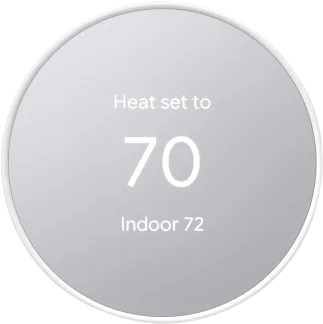
- Nest thermostats
Shows up in Apple Home as from its README
Sensor readings in its code
What people report
Covers Nest thermostats and cameras via the SDM API; camera tiles show a logo since snapshots are unavailable, and maintainer is merging stream fixes.
- Works1
- Partly works3
| Device | Status | What they said | Source |
|---|---|---|---|
| Nest Thermostat | Works | Loads under Homebridge v2; multi-fan and eco switch support addedSaved copyI only have a Nest Thermostat to test, but this plugin loads up without warnings in Homebridge v2. The deprecated HapNode-JS and Homebridge APIs didn't affect the rest of the code in this plugin. Excerpt saved from GitHub on 2026-10-22. | PR #206 · 2025-12 |
| Google Nest (thermostats/cameras) | Partly works | Google Account auth method rock solid for some; others needed Starling HubSaved copyI also use the Google Account method and it works for a very long time. I had issues with the Nest Account logging me out every day but Google method is rock solid. Excerpt saved from Arctic Shift Reddit archive on 2026-10-22. | Reddit comment · 2023-03 |
| Nest cameras | Partly works | Black feeds until fullscreen, then 5+ second delay; same in Home AssistantSaved copyI was able to get it working with google’s SDM. It was a pain and never quite worked right. My Nest cameras never showed live previews, just black feeds until I clicked to view them fullscreen and then it would take 5+ seconds to show live video. I then tried the same in Home Assistant with the same result. I broke down and ordered Starling. It arrives next week so I can’t say whether it will be better or not, time will tell. Excerpt saved from Arctic Shift Reddit archive on 2026-10-22. | Reddit comment · 2024-11 |
| Nest cameras (SDM) | Partly works | Live stream works; no on-demand snapshots so tile shows logoSaved copyThe SDM API has no way to fetch a snapshot on demand, so the Home app tiles always show the Nest/Google logo (see the FAQ). This adds an opt-in option that captures a real frame from the live stream every few minutes and serves it as the snapshot. The option `snapshotRefreshInterval` (minutes). `0`, the default, keeps the current behaviour, so nobody gets extra streams without asking for them. Values below 5 are raised to 5. It is in `config.schema.json` and the README. How it works New `SnapshotRefresher`, created per camera by `StreamingDelegate` only when the option is set. Each refresh … Excerpt saved from GitHub on 2026-10-22. | PR #244 · 2026-09 |
Gathered from the plugin’s GitHub issues, pull requests, discussions, wiki and docs, and from r/homebridge. These are individual reports, so check the linked thread and the date before you buy.
How it connects
Cloud
Google Smart Device Management API
You’ll need
- Google Device Access project
Compatibility
| Verified by Homebridge | Yes |
|---|---|
| Homebridge versions | >=1.4.0 |
| Homebridge 2.0 | No |
| Node.js | >=18 |
| Settings in Homebridge UI | Yes |
| Matter | No |
| Platform name | homebridge-google-nest-sdm |
| License | ISC |
Community signals
| Downloads a week | 99 |
|---|---|
| Downloads a month | 517 |
| GitHub stars | 191 |
| Open issues | 27 |
| Closed issues | 129 |
| Discussions | 51 |
| Last code push | 2026-07-21 |
| Latest version | 1.1.24 (2026-07-22) |
| First published | 2021-11-17 |
| Releases | 52 |
In ReReHome
Whatever this plugin publishes reaches Apple Home as a normal HomeKit accessory behind your Homebridge bridge, so ReReHome shows and controls it like any other.
Bridges get their own settings page listing the accessories behind them.
HomeKit services in its code
Found by scanning the published npm package. A plugin can register a service only for some devices.
- Fan
- MotionSensor
- Thermostat