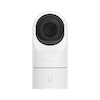
Camera UI
homebridge-infraspec-ui · v1.160.0
Exposes RTSP cameras to HomeKit with motion detection, doorbell, HomeKit Secure Video and a web NVR interface.
What it says it supports
Devices it names
- RTSP-capable cameras
Shows up in Apple Home as from its README
Sensor readings in its code
What people report
Works with RTSP/H264 cameras; HomeKit Secure Video recording is the usual trouble spot, typically needing 25-30 FPS, audio off and H264 streams.
- Works2
- Partly works5
- Not working2
| Device | Status | What they said | Source |
|---|---|---|---|
| Foscam camera | Works | HSV recording worksSaved copy… motion is detected and the process to record to HSV is working. But In the Home app, there's no recordings or timeline visible. [1/15/2022, 4:58:29 PM] [CameraUI] Front Porch: Motion detected via Videoanalysis: [{"name":"region0","diffs":46366,"total":144652,"percent":32.0534782409668}] [1/15/2022, 4:58:29 PM] [CameraUI] Front Porch: Motion ON [1/15/2022, 4:58:29 PM] [CameraUI] Front Porch: Video fragments requested from HSV [1/15/2022, 4:58:29 PM] [CameraUI] Front Porch: Setting prebuffer stream as input [1/15/2022, 4:58:29 PM] [CameraUI] Front Porch: Prebuffer requested with a duration of … Excerpt saved from GitHub on 2026-10-22. | Issue #347 · 2022-01 |
| Reolink RLC-410W | Works | Motion detection and recording worked after raising FPS to 20-30Saved copyDescribe the bug Motion Detection and Recording don't work My camera are Reolink RLC-410W-4MP Stream clear Resolution: 720p Frame Rate (FPS): 10 Max Bitrate (Kbps) 1024 Homebridge runs on Rpi v4 Logs [21/01/2022, 13:39:47] [CameraUI] Camera Home Front: Restart videoanalysis session.. [21/01/2022, 13:39:57] [CameraUI] Camera Home Front: Videoanalysis scheduled for restart at 4AM: 860 minutes [21/01/2022, 13:40:12] [CameraUI] Camera Home Front: Videoanalysis timed out... killing ffmpeg session [21/01/2022, 13:40:12] [CameraUI] Camera Home Front: FFmpeg videoanalysis process exited with error! … Excerpt saved from GitHub on 2026-10-22. | Issue #377 · 2022-01 |
| Lorex camera system | Partly works | HSV works on 3 of 4 cameras; one recorded only onceSaved copyHello, Having a similar issue. Somewhat new to Homebridge and camera.ui. Recently got a new Lorex system and have all cameras showing up fine in Home, and 3/4 of them work fine in terms of HKSV. However, one of them only recorded motion once and no longer saves any clips for me to view. I have attempted to toggle various settings on and off including stream/recording, but nothing seems to stick. I have also been unable to get audio to work on any of the cameras. Any help will be greatly appreciated. Thanks. Edit: audio seems to be working for now, same issue with video. Excerpt saved from GitHub on 2026-10-22. | Issue #656 · 2022-10 |
| TP-Link Tapo C310 | Partly works | Live stream works; HSV recording failed until FPS raised and audio disabledSaved copyHi, I have installed CameraUI and added my Tapo C310 cam. The live Stream works Fine in HomeKit. But HSV dont record any activities. I see a push on my Screen with activity, but when i will Open the push i see a black Screen and no Records. Log My Config "cameras": [ { "name": "Tapo Cam Garten", "manufacturer": "Tapo", "model": "C310", "motion": true, "motionTimeout": 15, "unbridge": true, "hsv": true, "prebuffering": true, "prebufferLength": 4, "hksvConfig": { "maxWidth": 1920, "maxHeight": 1080, "maxFPS": 30, "vcodec": "libx264" }, "videoConfig": { "source": "-i … Excerpt saved from GitHub on 2026-10-22. | Issue #549 · 2022-05 |
| v4l2 / Raspberry Pi camera with ALSA audio | Partly works | Audio errors until video and audio inputs mappedSaved copyFor information, here is my conf with an intermediate RTSP Server : In the dockerfile, I defined 3 containers. The first, "rtsp", is the rtsp server. The image I found works on RPi ARM and x86 machines. The second, "ffmpeg-usbcam", is based on the homebridge image to keep the same ffmpeg binary. The start command is replaced by a ffmpeg command that read the v4l2 Camera and audio streams, and send them to the RTSP Server. The third, "homebridge", is the standard homebridge server. [code] Then the config.json file of homebridge is like this : [code] All seems to work with this configuration, … Excerpt saved from GitHub on 2026-10-22. | Issue #331 · 2022-01 |
| Yi Home 1080p camera | Partly works | Hacked camera works with camera.ui; do not run alongside camera-ffmpegSaved copyHi SeydX Hey @martindavid-net! First of all, pls dont use both `homebridge-camera-ffmpeg` AND `homebridge-camera-ui` * If you only want to see the cameras in Apple Homekit, choose `homebridge-camera-ffmpeg` * If you want to see the cameras in Apple HomeKit AND want a User interface where you can control your cameras, record videos on movement etc etc, choose `homebridge-camera-ui` Second, if you had the cameras on HomeKit before (with homebridge-camera-ffmpeg or anything else), please remove them from HomeKit AND change the name of the cameras in your config.json. Otherwise homebridge will … Excerpt saved from GitHub on 2026-10-22. | Issue #121 · 2021-05 |
| ZoneMinder MJPEG stream | Partly works | Live works; HSV record crashes without H264, disable readRateSaved copyHi first thanks for all job I had camera from zoneminder, live is ok but when i wan't to start HSV record, he crash Zoneminder flux is 1280*720 { "name": "PorteHSV", "motionTimeout": 15, "unbridge": true, "hsv": true, "prebuffering": false, "forcePrebuffering": false, "prebufferLength": 4000, "videoConfig": { "source": "-i http://10.0.0.1/zm/cgi-bin/nph-zms?mode=jpeg&monitor=2&scale=50&maxfps=10&buffer=1000&user=julien&pass=pass", "stillImageSource": "-i http://10.0.0.1/zm/cgi-bin/nph-zms?mode=single&monitor=2&scale=100&user=julien&pass=pass", "maxStreams": 10, "readRate": true, "maxWidth": … Excerpt saved from GitHub on 2026-10-22. | Issue #343 · 2022-01 |
| Hikvision cameras | Not working | HSV recording did not work on three cameras after restartsSaved copyIt is the same problem here: 1x foscam (works) 3x Hikvision (does not work). Restarting Hub (HomePod) does not help, switching recording setting does not work, removing and re-adding cameras (does not work) - I do not know what to try next. Setup is for all cameras the same I take the rtsp stream from my Synology DS918+. Switching to the native (Hikvision) camera stream does not help either. I am having the same exact problem. 4x Hikvision. It started to work, then after 2 days no more HKSV recordings. Tried deleting the videos on all the cams from the cam settings in Home app and now I have … Excerpt saved from GitHub on 2026-10-22. | Issue #347 · 2022-01 |
| Reolink RLC-810A | Not working | FFmpeg recording process exits with error since v5.0.12Saved copyI have an NVR from Reolink that records (still) on top 24h but this was always the case nothing changed, that's the only stream from that camera nothing else. Excerpt saved from GitHub on 2026-10-22. | Issue #398 · 2022-01 |
Gathered from the plugin’s GitHub issues, pull requests, discussions, wiki and docs, and from r/homebridge. These are individual reports, so check the linked thread and the date before you buy.
How it connects
Local
RTSP streams over LAN; optional AWS Rekognition and notification services
You’ll need
- RTSP camera
- ffmpeg (implied)
- Node 14+
Compatibility
| Verified by Homebridge | No |
|---|---|
| Homebridge versions | ^1.4.0 |
| Homebridge 2.0 | No |
| Node.js | >=14.18.2 |
| Settings in Homebridge UI | Yes |
| Matter | No |
| Platform name | CameraUI |
| License | MIT |
Community signals
| Downloads a week | 57 |
|---|---|
| Downloads a month | 178 |
| GitHub stars | 708 |
| Open issues | 18 |
| Closed issues | 427 |
| Discussions | 15 |
| Last code push | 2026-06-04 |
| Latest version | 1.160.0 (2024-10-28) |
| First published | 2022-08-19 |
| Releases | 140 |
In ReReHome
Whatever this plugin publishes reaches Apple Home as a normal HomeKit accessory behind your Homebridge bridge, so ReReHome shows and controls it like any other.
Bridges get their own settings page listing the accessories behind them.
Caveats from the README
- HSV needs Homebridge 1.4.0-beta.4+ and a home hub
- New version in development
HomeKit services in its code
Found by scanning the published npm package. A plugin can register a service only for some devices.
- Doorbell
- MotionSensor
- OccupancySensor
- Switch