iRobot
homebridge-irobot · v2.1.16
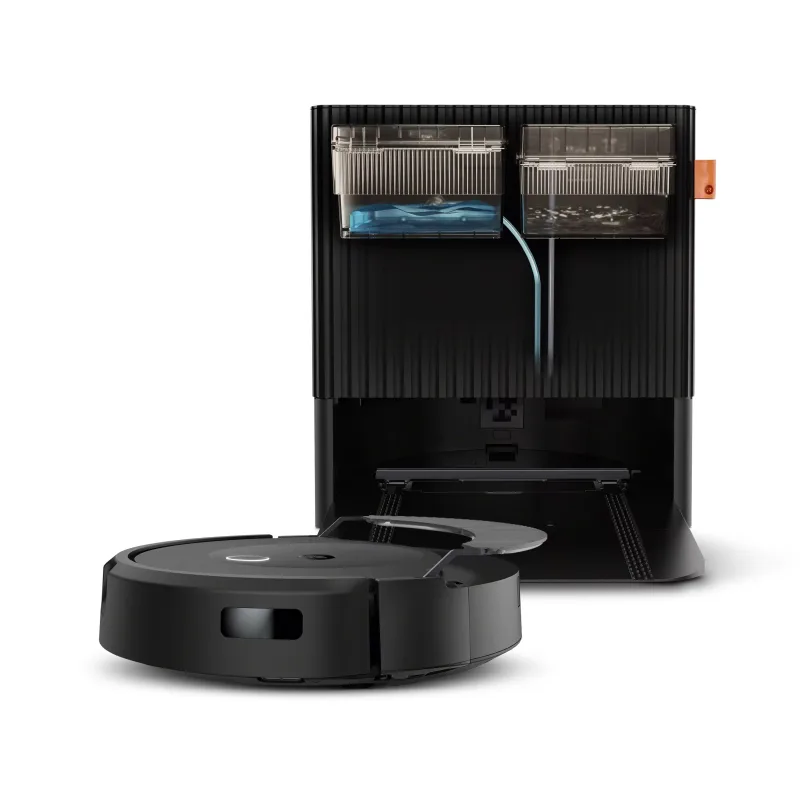
Adds iRobot Roomba vacuums with on/off, room control, battery and bin-full detection to HomeKit.
What it says it supports
Brands
- iRobot
Devices it names
- Roomba i3
- e6
- i7
- i7+
- i8+
- j7
- j9+
- s9
- 980
- Braava m6
Shows up in Apple Home as from its README
Sensor readings in its code
What people report
Controls Roombas locally; i-series and 9xx work, j7 is listed as unsupported, and some models appear as odd HomeKit types.
- Works5
- Partly works2
- Not working3
- Requested1
- Won’t be supported1
The plugin’s own supported-device list
| Device | Status | What they said | Source |
|---|---|---|---|
| iRobot Roomba | Works | Rock solid and super fastSaved copyI use homebridge-iRobot (via homebridge) and it’s rock solid and super fast. Excerpt saved from Arctic Shift Reddit archive on 2026-10-22. | Reddit comment · 2022-02 |
| Roomba 985 | Works | Listed as supportedSaved copy| Model | Supported | |---|---| | i8 | Yes | | 985 | Yes | | j7 | No | Excerpt saved from GitHub on 2026-10-22. | Docs: Supported Devices.md |
| Roomba i3 | Works | Works on beta 2.1.17; room-by-room added via PRSaved copyRoomba Model: i3 Did It Work Yes Excerpt saved from GitHub on 2026-10-22. | Issue #81 · 2022-02 |
| Roomba i6+ | Works | Works; extra unlabeled room switches appeared after updateSaved copy… HomeKit. These match some previous values as reported, and have added maps. While named on the hombridge acceessories list, these are not equal to the iRobot naming, nor labeled on the HomeKit The above 6 Homebridge values are provided as only 5 items on the Homekit, Under the device itself or under 'Accessories' "Fan" appears to be 'cleaning' "man walking" appears to be 'stuck' alert - this does nto seem to show on the Homekit app any longer % bubble appears to be Battery Charging in HomeBridge, Homekit has a full circle (100%?) blue circle with no naming (3) on/off switches appear to be … Excerpt saved from GitHub on 2026-10-22. | Issue #204 · 2023-08 |
| Roomba i8 | Works | Listed as supportedSaved copy| Model | Supported | |---|---| | i8 | Yes | | 985 | Yes | | j7 | No | Excerpt saved from GitHub on 2026-10-22. | Docs: Supported Devices.md |
| Roomba j7 | Partly works | Room-by-room works as switches and Roomba shows as a fan; jankySaved copyI have the J7 and HomeKit doesn’t support vacuums right now so all of the homebridge plug-ins for Roomba are kind of janky. The plug-in you mention can do room by room cleaning but every room shows up as a switch and your J7 shows up as a fan. You have to turn on a switch (room) and then turn on the fan (vacuum) before it will navigate to the room and start vacuuming. In my opinion the iRobot app is much easier to use right now and I would wait until HomeKit adds vacuum support (if that ever happens). Excerpt saved from Arctic Shift Reddit archive on 2026-10-22. | Reddit comment · 2023-01 |
| Roomba m6 | Partly works | Shows as Television; functions available as input sourcesSaved copyI just tried this, but it didn't work. I first did the Remove Single Cached Accessory in Homebridge, but when looking at the iRobot plugin it was still showing there so I deleted it there as well (Homebridge iRobot > Settings > Devices > Delete Button). After that, I restarted Homebridge and observed that the misidentified device (j7+) was not there, but my other robot (m6) was. I then used Homebridge iRobot > Settings > Devices > Add Button to get to the page where I supply my iRobot account email/password. That got me back to having the j7+ in the lineup, but I'm still getting this message … Excerpt saved from GitHub on 2026-10-22. | Issue #184 · 2023-01 |
| Roomba 980 | Not working | Same blid not found error despite being on supported listSaved copyHi I am having the same issue. I have a Roomba model 980, which seems to be on the supported list. I have simply installed the Hombrige iRobot plug in and entered my email and password within the plug in (I have also tried retarting both Homebridge and the Roomba). I am getting the following outputs within my logs: Are there any other steps I can try to fix this? Thank you in advance. Excerpt saved from GitHub on 2026-10-22. | Issue #153 · 2022-09 |
| Roomba i6 | Not working | No Roomba found with blid error on configureSaved copyDescribe Your Problem: Hello! Roomba i6. Tried various configuration options! There is a constant error in the logs "Failed to configure roomba: Foxy see below for details No Roomba Found With Blid: Foxy" Expected behavior: _No response_ Logs: [code] Config: [code] Node Version: v16.17.0 NPM Version: 8.15.0 Homebridge Version: 1.5.0 Plugin Version: v2.1.16 Operating System: MacOS Excerpt saved from GitHub on 2026-10-22. | Issue #153 · 2022-09 |
| Roomba j7+ | Not working | Shows as Fanv2 with no usable controls in HomeSaved copyI just tried this, but it didn't work. I first did the Remove Single Cached Accessory in Homebridge, but when looking at the iRobot plugin it was still showing there so I deleted it there as well (Homebridge iRobot > Settings > Devices > Delete Button). After that, I restarted Homebridge and observed that the misidentified device (j7+) was not there, but my other robot (m6) was. I then used Homebridge iRobot > Settings > Devices > Add Button to get to the page where I supply my iRobot account email/password. That got me back to having the j7+ in the lineup, but I'm still getting this message … Excerpt saved from GitHub on 2026-10-22. | Issue #184 · 2023-01 |
| Roomba i4 | Requested | PR adds i3/i4 multiroom support, still openSaved copyi3/i4 models now have smart mapping: https://homesupport.irobot.com/s/article/64103 Tested on my i3 and it performs as expected. Excerpt saved from GitHub on 2026-10-22. | PR #120 · 2022-05 |
| Roomba j7 | Won’t be supported | Listed as not supportedSaved copy| Model | Supported | |---|---| | i8 | Yes | | 985 | Yes | | j7 | No | Excerpt saved from GitHub on 2026-10-22. | Docs: Supported Devices.md |
Gathered from the plugin’s GitHub issues, pull requests, discussions, wiki and docs, and from r/homebridge. These are individual reports, so check the linked thread and the date before you buy.
How it connects
Cloud
iRobot account auto-discovery
You’ll need
- iRobot account
- Homebridge 1.3.5+
Compatibility
| Verified by Homebridge | No |
|---|---|
| Homebridge versions | >=1.3.5 |
| Homebridge 2.0 | No |
| Node.js | >=14.18.1 |
| Settings in Homebridge UI | Yes |
| Matter | No |
| Platform name | iRobotPlatform |
| License | Apache-2.0 |
Community signals
| Downloads a week | 32 |
|---|---|
| Downloads a month | 135 |
| GitHub stars | 60 |
| Open issues | 71 |
| Closed issues | 118 |
| Last code push | 2025-02-14 |
| Latest version | 2.1.16 (2022-01-26) |
| First published | 2021-12-29 |
| Releases | 63 |
In ReReHome
Whatever this plugin publishes reaches Apple Home as a normal HomeKit accessory behind your Homebridge bridge, so ReReHome shows and controls it like any other.
Bridges get their own settings page listing the accessories behind them.
Caveats from the README
- Some models reported unsupported (Combo 10 Max, 690, 971, Braava m6)
- Room control tested with one map
HomeKit services in its code
Found by scanning the published npm package. A plugin can register a service only for some devices.
- Battery
- ContactSensor
- Fanv2
- FilterMaintenance
- Lightbulb
- MotionSensor
- Switch