Lutron Caseta
@homebridge-plugins/homebridge-lutron · v3.2.2
Adds Lutron Caseta dimmers, switches, Pico remotes, shades and sensors to HomeKit over LEAP.
What it says it supports
Brands
- Lutron
Devices it names
- Caseta Smart Bridge 2
- Smart Bridge Pro
- RA2 Select repeater
- wall dimmers
- wall switches
- Pico remotes
- Serena shades
Shows up in Apple Home as from its README
Sensor readings in its code
What people report
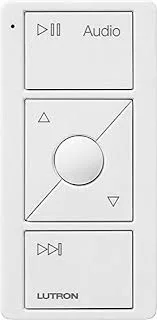
Caseta LEAP bridges with dimmers, switches, Picos, blinds and sensors work; audio Picos are a gap. Maintainers add new types such as Diva on request.
- Works18
- Not working1
- Won’t be supported1
The plugin’s own supported-device list
| Device | Status | What they said | Source |
|---|---|---|---|
| Lutron Caseta dimmer | Works | No neutral wire neededSaved copyUsually the dimmers don't require a neutral. I have a few Lutron Caseta dimmers installed, no neutral wire needed. Excerpt saved from Arctic Shift Reddit archive on 2026-10-22. | Reddit comment · 2023-02 |
| Lutron Caseta Pico remotes | Works | Assign scene or action to each button; plugin doesn't change devicesSaved copyI'd like to try out Homebridge to have a look at the way it handles Caseta pico remotes. It gives you the ability to specify a scene/action for each of the five buttons on the remote. It looks like this: https://b2c-contenthub.com/wp-content/uploads/2022/03/Set-up-Hue-Dimmer-Switch-in-HomeKit-buttons.jpeg?quality=50&strip=all what happens when I shut Homebridge down? Either because I decide not to use it or to give it a permanent home on a dedicated computer? The devices will go unavailable in HomeKit until you remove the bridge from your Home. Will my Smartbridge and picos simply revert to … Excerpt saved from Arctic Shift Reddit archive on 2026-10-22. | Reddit comment · 2022-05 |
| Lutron Caseta Smart Bridge 2 | Works | LEAP bridge supported over local networkSaved copyhomebridge-lutron Homebridge plugin to integrate Lutron Caséta devices into HomeKit Plugin Information This plugin allows you to view and control your Lutron Caséta devices within HomeKit. The plugin: connects to a Lutron Smart Bridge (Caséta Smart Bridge 2 / Pro, or RA2 Select) over your local network using the LEAP protocol pairs with the bridge from the plugin settings screen by a physical button press, so no cloud account is required can optionally expose devices over Matter as well as HomeKit Prerequisites To use this plugin, you will need to already have: Node: latest version of `v22`, … Excerpt saved from GitHub on 2026-10-22. | Wiki: Home |
| Lutron Caseta Smart Bridge Pro | Works | LEAP bridge supportedSaved copyhomebridge-lutron Homebridge plugin to integrate Lutron Caséta devices into HomeKit Plugin Information This plugin allows you to view and control your Lutron Caséta devices within HomeKit. The plugin: connects to a Lutron Smart Bridge (Caséta Smart Bridge 2 / Pro, or RA2 Select) over your local network using the LEAP protocol pairs with the bridge from the plugin settings screen by a physical button press, so no cloud account is required can optionally expose devices over Matter as well as HomeKit Prerequisites To use this plugin, you will need to already have: Node: latest version of `v22`, … Excerpt saved from GitHub on 2026-10-22. | Wiki: Home |
| Lutron Diva Smart Dimmer | Works | Added support; on/off and brightness tracking physical slider confirmedSaved copyDescribe your feature request Can we add support for the Diva Dimmers? "LUTRONDiva Smart Dimmer Switch for Caseta Smart Lighting, 150-Watt LED, Light Almond (DVRF-6L-LA)" for example? Is your feature request related to a problem? _No response_ Any particular Lutron devices that this relates to? LUTRONDiva Smart Dimmer Switch for Caseta Smart Lighting, 150-Watt LED, Light Almond (DVRF-6L-LA) Anything else? _No response_ Excerpt saved from GitHub on 2026-10-22. | Issue #270 · 2026-08 |
| Lutron occupancy/vacancy sensors | Works | Listed as supportedSaved copyhomebridge-lutron Homebridge plugin to integrate Lutron Caséta devices into HomeKit Plugin Information This plugin allows you to view and control your Lutron Caséta devices within HomeKit. The plugin: connects to a Lutron Smart Bridge (Caséta Smart Bridge 2 / Pro, or RA2 Select) over your local network using the LEAP protocol pairs with the bridge from the plugin settings screen by a physical button press, so no cloud account is required can optionally expose devices over Matter as well as HomeKit Prerequisites To use this plugin, you will need to already have: Node: latest version of `v22`, … Excerpt saved from GitHub on 2026-10-22. | Wiki: Home |
| Lutron outdoor plug-in switch | Works | Natively supported by HomeKit; plugin error message removedSaved copyIs your feature request related to a problem? Please describe: Add support for a Lutron device. Describe the solution you'd like: The device to be supported. Describe alternatives you've considered: None. As far as I am concerned the device is natively supported by the Lutron/Homekit integration, but I would like to not see the error. Additional context: [06/11/2022, 14:56:07] [Lutron] Failed to process device: Error: Failed to wire new device Exterior String Lights: Skipping: Device type OutdoorPlugInSwitch not recognized. Please file a ticket and tell me about it Excerpt saved from GitHub on 2026-10-22. | Issue #84 · 2022-11 |
| Lutron Pico remote | Works | Appear as generic buttons programmable in Homebridge; needs Caseta Smart Bridge ProSaved copyLutron Pico Switches. Lots of options, you can mount them to look like wired switches, they are programmable with HomeBridge so they appear as generic buttons in HomeKit. You will need a Caseta Smart Bridge Pro. I use them to control my lifx lights/ toggle various AV services in my house. Excerpt saved from Arctic Shift Reddit archive on 2026-10-22. | Reddit comment · 2020-05 |
| Lutron Pico remote | Works | Usable as HomeKit trigger via HomebridgeSaved copyLutron pico remotes can be surface mounted to look like a regular switch (I’ve put one next to a single in-wall switch and covered both with a duplex wall plate and it looks totally natural) and they’re easiest to use with lutron smart plugs but can also be used as triggers in HomeKit via Homebridge I believe. Excerpt saved from Arctic Shift Reddit archive on 2026-10-22. | Reddit comment · 2020-10 |
| Lutron Pico remote | Works | Works with standard Smart Bridge; picos appeared after delaySaved copyJust wanted to say thank you- The plugin did in fact work with my Standard Lutron Smart bridge-- however I couldn't find any of the picos until I gave up and checked again this morning. But all is working well now. This is fantastic! Excerpt saved from Arctic Shift Reddit archive on 2026-10-22. | Reddit comment · 2023-03 |
| Lutron Pico remote | Works | Can be used as remote for non-Lutron devices via the pluginSaved copyYou ca use the Lutron pico remotes for non Lutron devices by using the plugin. https://www.npmjs.com/package/homebridge-lutron-caseta-leap Excerpt saved from Arctic Shift Reddit archive on 2026-10-22. | Reddit comment · 2024-03 |
| Lutron Pico remotes | Works | 2, 3, 4 button incl. raise/lower and scene variantsSaved copyhomebridge-lutron Homebridge plugin to integrate Lutron Caséta devices into HomeKit Plugin Information This plugin allows you to view and control your Lutron Caséta devices within HomeKit. The plugin: connects to a Lutron Smart Bridge (Caséta Smart Bridge 2 / Pro, or RA2 Select) over your local network using the LEAP protocol pairs with the bridge from the plugin settings screen by a physical button press, so no cloud account is required can optionally expose devices over Matter as well as HomeKit Prerequisites To use this plugin, you will need to already have: Node: latest version of `v22`, … Excerpt saved from GitHub on 2026-10-22. | Wiki: Home |
| Lutron Pico remotes | Works | Key integration; buttons programmable to do anythingSaved copyThe Lutron pico integration is key. Being able to program the buttons to do whatever I want for the cost and reliability of these buttons has been huge. Excerpt saved from Arctic Shift Reddit archive on 2026-10-22. | Reddit comment · 2023-12 |
| Lutron RA2 Select main repeater | Works | LEAP bridge supportedSaved copyhomebridge-lutron Homebridge plugin to integrate Lutron Caséta devices into HomeKit Plugin Information This plugin allows you to view and control your Lutron Caséta devices within HomeKit. The plugin: connects to a Lutron Smart Bridge (Caséta Smart Bridge 2 / Pro, or RA2 Select) over your local network using the LEAP protocol pairs with the bridge from the plugin settings screen by a physical button press, so no cloud account is required can optionally expose devices over Matter as well as HomeKit Prerequisites To use this plugin, you will need to already have: Node: latest version of `v22`, … Excerpt saved from GitHub on 2026-10-22. | Wiki: Home |
| Lutron Serena roller shade | Works | Harmless skip messages in log; fixed laterSaved copyWould work for a few minutes and then stop. Was fine for months until this week. [9/7/2022, 11:19:11 PM] [Lutron] Failed to process device: Error: Failed to wire new device Smart Bridge 2: Skipping: Device type SmartBridge supported natively, skipping setup [9/7/2022, 11:19:11 PM] [Lutron] Failed to process device: Error: Failed to wire new device Master Bathroom Master Bathroom: Skipping: Device type SerenaRollerShade not recognized. Please file a ticket and tell me about it [9/7/2022, 11:19:11 PM] [Lutron] Failed to process device: Error: Failed to wire new device Master Bedroom Master … Excerpt saved from GitHub on 2026-10-22. | Issue #75 · 2022-09 |
| Lutron Serena tilt-only wood blinds | Works | Listed as supportedSaved copyhomebridge-lutron Homebridge plugin to integrate Lutron Caséta devices into HomeKit Plugin Information This plugin allows you to view and control your Lutron Caséta devices within HomeKit. The plugin: connects to a Lutron Smart Bridge (Caséta Smart Bridge 2 / Pro, or RA2 Select) over your local network using the LEAP protocol pairs with the bridge from the plugin settings screen by a physical button press, so no cloud account is required can optionally expose devices over Matter as well as HomeKit Prerequisites To use this plugin, you will need to already have: Node: latest version of `v22`, … Excerpt saved from GitHub on 2026-10-22. | Wiki: Home |
| Lutron wall dimmers | Works | Listed as supportedSaved copyhomebridge-lutron Homebridge plugin to integrate Lutron Caséta devices into HomeKit Plugin Information This plugin allows you to view and control your Lutron Caséta devices within HomeKit. The plugin: connects to a Lutron Smart Bridge (Caséta Smart Bridge 2 / Pro, or RA2 Select) over your local network using the LEAP protocol pairs with the bridge from the plugin settings screen by a physical button press, so no cloud account is required can optionally expose devices over Matter as well as HomeKit Prerequisites To use this plugin, you will need to already have: Node: latest version of `v22`, … Excerpt saved from GitHub on 2026-10-22. | Wiki: Home |
| Lutron wall switches | Works | Listed as supportedSaved copyhomebridge-lutron Homebridge plugin to integrate Lutron Caséta devices into HomeKit Plugin Information This plugin allows you to view and control your Lutron Caséta devices within HomeKit. The plugin: connects to a Lutron Smart Bridge (Caséta Smart Bridge 2 / Pro, or RA2 Select) over your local network using the LEAP protocol pairs with the bridge from the plugin settings screen by a physical button press, so no cloud account is required can optionally expose devices over Matter as well as HomeKit Prerequisites To use this plugin, you will need to already have: Node: latest version of `v22`, … Excerpt saved from GitHub on 2026-10-22. | Wiki: Home |
| Lutron Audio Pico | Not working | Not filtered out; maintainer lacks hardware to add supportSaved copyHere you go https://www.icloud.com/iclouddrive/08fVUV7NkQ4ekQd8lLGC2Q56Q#homebridge.log There are a few different picos that should be filtered out. I have a lot of them. [12/02/2023, 07:59:33] [Lutron] Device setup finished: Skipped setting up device: Device type SmartBridge not supported by this plugin [12/02/2023, 07:59:33] [Lutron] Device setup finished: Skipped setting up device: Device type WallDimmer not supported by this plugin [12/02/2023, 07:59:33] [Lutron] Device setup finished: Skipped setting up device: Device type WallDimmer not supported by this plugin [12/02/2023, 07:59:33] … Excerpt saved from GitHub on 2026-10-22. | Issue #99 · 2023-01 |
| Lutron original Smart Bridge (non-LEAP) | Won’t be supported | Original non-LEAP bridge not supportedSaved copyHere are some of the common problems you may experience with the plugin and how to resolve them. Cannot Pair With the Bridge Pairing happens in the plugin settings screen and needs a physical button press on the bridge: Make sure the bridge is a LEAP-capable model - the Caséta Smart Bridge 2 (`L-BDG2-WH`), Smart Bridge Pro (`L-BDGPRO2-WH`), or an RA2 Select main repeater. The original non-LEAP Smart Bridge is not supported. The bridge and Homebridge must be on the same network, and the bridge must be reachable (not blocked by a VLAN or firewall). When prompted, press the small black button on … Excerpt saved from GitHub on 2026-10-22. | Wiki: Common Errors |
Gathered from the plugin’s GitHub issues, pull requests, discussions, wiki and docs, and from r/homebridge. These are individual reports, so check the linked thread and the date before you buy.
How it connects
Local
LEAP protocol to Lutron Smart Bridge
You’ll need
- LEAP-capable Lutron bridge
Compatibility
| Verified by Homebridge | Yes |
|---|---|
| Homebridge versions | ^1.11.4 || ^2.0.0 |
| Homebridge 2.0 | Yes |
| Node.js | ^22.12.0 || ^24.0.0 || ^26.0.0 |
| Settings in Homebridge UI | Yes |
| Matter | Yes (uses the Homebridge 2 Matter API) |
| Platform name | LutronCasetaLeap |
| License | Apache-2.0 |
Community signals
| Downloads a week | 41 |
|---|---|
| Downloads a month | 283 |
| GitHub stars | 95 |
| Open issues | 1 |
| Closed issues | 159 |
| Discussions | 6 |
| Last code push | 2026-10-18 |
| Latest version | 3.2.2 (2026-10-18) |
| First published | 2026-05-04 |
| Releases | 21 |
In ReReHome
Whatever this plugin publishes reaches Apple Home as a normal HomeKit accessory behind your Homebridge bridge, so ReReHome shows and controls it like any other.
Bridges get their own settings page listing the accessories behind them.
Caveats from the README
- Original non-LEAP Smart Bridge not supported
- Homebridge v2 required
HomeKit services in its code
Found by scanning the published npm package. A plugin can register a service only for some devices.
- Lightbulb
- OccupancySensor
- ServiceLabel
- StatelessProgrammableSwitch
- Switch
- WindowCovering