SmartHQ
@homebridge-plugins/homebridge-smarthq · v0.9.0
Adds GE SmartHQ appliances such as ovens and Opal ice makers to HomeKit.
What it says it supports
Brands
- GE Appliances
- SmartHQ
Devices it names
- ovens
- Opal Ice Maker
Shows up in Apple Home as from its README
Sensor readings in its code
What people report
Cloud-based GE SmartHQ plugin. Maintainer adds appliance types on request from logged device lines; dishwashers and combo washer/dryers now supported, ACs and dehumidifiers requested.
- Works2
- Partly works2
- Requested4
The plugin’s own supported-device list
| Device | Status | What they said | Source |
|---|---|---|---|
| GE Opal Ice Maker | Works | HomeKit Controller notifications supported for ice bucket full, descale, filter and moreSaved copy… installation instructions. Setup Installation Configuration Beta Version Node Version Features HomeKit Controller notifications are supported for the Opal Ice Maker. To set up, install the HomeKit Controller app and configure notifications for each respective event. Put your HomeKit Controller client secret in the plugin advanced options, and the path associated with each available notification in the Opal device options. Supported events: Ice Bucket Full Production Progress Complete Filter Maintenance Change Alert Descale Needed Alert Add Water Alert Help/About Common Errors Support Request … Excerpt saved from GitHub on 2026-10-22. | Wiki: Home |
| GE Profile combination washer/dryer | Works | Support released in v0.6.0 after user logsSaved copyProblem Please add support for the GE Profile combination washer dryer. Solution I see an "Unsupported Device" message, please make this a supported device. Alternatives _No response_ Additional context _No response_ I enabled debugging logs in the plugin to get the specific information (I masked out appliance ID and JID): 5/29/2026, 8:17:47 PM] [SmartHQ] [DEBUG] Device: {"applianceId":"XXXXXXXXXXXX","type":"Combination Washer Dryer","brand":"Unknown","jid":"XXXXXXXXXXXX_XXXXXXXXXXXX","nickname":"Combination Washer Dryer","online":"ONLINE","onlineTime":"2026-05-29T07:11:26.061Z"} [5/29/2026, … Excerpt saved from GitHub on 2026-10-22. | Issue #96 · 2026-05 |
| Fisher & Paykel DishDrawer DD24DI9 / DDD196US | Partly works | Recognised after fix; shows Dishwasher and Dishwasher Drawer, main one stuck OffSaved copyDescribe your feature request Can you add support for the Fisher & Paykel Built-In Dishwasher, model no. DD24DI9? Is your feature request related to a problem? _No response_ Any particular SmartHQ devices that this relates to? isher & Paykel Built-In Dishwasher, model no. DD24DI9 Anything else? _No response_ Excerpt saved from GitHub on 2026-10-22. | Issue #120 · 2026-08 |
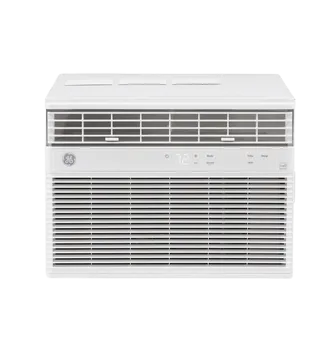
| GE window air conditioner (SmartHQ) | Partly works | Works on a Clearview unit with temp and mode; a through-wall unit is not supportedSaved copyThere's a SmartHQ plugin that just started to add basic GE Air Conditioner support last week. I have it working on my Clearview unit and it's showing me temperature, letting me adjust temp as well as operational mode. Excerpt saved from Arctic Shift Reddit archive on 2026-10-22. | Reddit comment · 2024-06 |
| GE air conditioner PWDV08WWF | Requested | Not supported; wants fan speed, mode, temperatureSaved copyProblem GE Air Conditioners are not supported and GE has dropped Homekit support from their newer models. Solution Add support for GE Air Conditioners. Specific model I have is PWDV08WWF. Support for fan speed, mode, and temperature would be great! Alternatives _No response_ Additional context _No response_ Excerpt saved from GitHub on 2026-10-22. | Issue #28 · 2025-04 |
| GE Dehumidifier ADSE50WWT | Requested | Device Type Not Supported: DehumidifierSaved copyI have similar line I just got today: 9/22/2026, 2:31:00 PM] [SmartHQ] Device Type Not Supported: "Dehumidifier" (model ADSE50WWT). Please report this line so it can be added. Here's what I got back for logs. Looks like the app lets me choose a humidity from 35 - 80 in 5 increment steps, and then Low, High or Smart Dry Fan Speeds, ON and OFF and that's about it as far as I can tell. It can report back Bucket Full and Filter Status but they just say "OK" ``` [9/22/2026, 2:33:21 PM] [SmartHQ] Matter is available but not enabled. Please enable Matter in Homebridge settings to use Matter devices. … Excerpt saved from GitHub on 2026-10-22. | Issue #124 · 2026-09 |
| GE Portable Dehumidifier AWHL50LD | Requested | Reported as unsupported type Dehumidifier; maintainer working on betaSaved copyDescribe your feature request It would be great to add support for dehumidifiers. I have the following model: https://www.amazon.com/GE-Portable-Dehumidifier-Drainage-Bathrooms/dp/B0FNQJ2LJS Here's the relevant line from the logs. [8/30/2026, 8:44:57 AM] [SmartHQ] [DEBUG] Device: {"applianceId":"020000452428","type":"Dehumidifier","brand":"GEA","jid":"020000452428_qf7nt0te4yt9dgt","nickname":"Dehumidifier","online":"ONLINE","onlineTime":"2026-08-28T05:02:23.073Z"} [8/30/2026, 8:44:57 AM] [SmartHQ] Device Type Not Supported: "Dehumidifier" (model AWHL50LD). Please report this line so it can be … Excerpt saved from GitHub on 2026-10-22. | Issue #124 · 2026-08 |
| GE split air conditioner AWFS08WW | Requested | Logged as Split Air Conditioner, not supportedSaved copyProblem GE Air Conditioners are not supported and GE has dropped Homekit support from their newer models. Solution Add support for GE Air Conditioners. Specific model I have is PWDV08WWF. Support for fan speed, mode, and temperature would be great! Alternatives _No response_ Additional context _No response_ Excerpt saved from GitHub on 2026-10-22. | Issue #28 · 2025-04 |
Gathered from the plugin’s GitHub issues, pull requests, discussions, wiki and docs, and from r/homebridge. These are individual reports, so check the linked thread and the date before you buy.
How it connects
Cloud
SmartHQ cloud account (inferred)
You’ll need
- SmartHQ account
- Homebridge 2
Compatibility
| Verified by Homebridge | Yes |
|---|---|
| Homebridge versions | ^2.0.0 |
| Homebridge 2.0 | Yes |
| Node.js | ^22.12.0 || ^24.0.0 || ^26.0.0 |
| Settings in Homebridge UI | Yes |
| Matter | Yes (uses the Homebridge 2 Matter API) |
| Platform name | SmartHQ |
| License | ISC |
Community signals
| Downloads a week | 541 |
|---|---|
| Downloads a month | 1,208 |
| GitHub stars | 22 |
| Open issues | 7 |
| Closed issues | 63 |
| Discussions | 6 |
| Last code push | 2026-10-22 |
| Latest version | 0.9.0 (2026-10-18) |
| First published | 2024-11-09 |
| Releases | 194 |
In ReReHome
Whatever this plugin publishes reaches Apple Home as a normal HomeKit accessory behind your Homebridge bridge, so ReReHome shows and controls it like any other.
Bridges get their own settings page listing the accessories behind them.
Caveats from the README
- Opal ice maker notifications use the HomeKit Controller app
HomeKit services in its code
Found by scanning the published npm package. A plugin can register a service only for some devices.
- Battery
- ContactSensor
- Fanv2
- FilterMaintenance
- HeaterCooler
- HumiditySensor
- LeakSensor
- Lightbulb
- LockMechanism
- MotionSensor
- OccupancySensor
- Switch
- TemperatureSensor
- Thermostat
- Valve