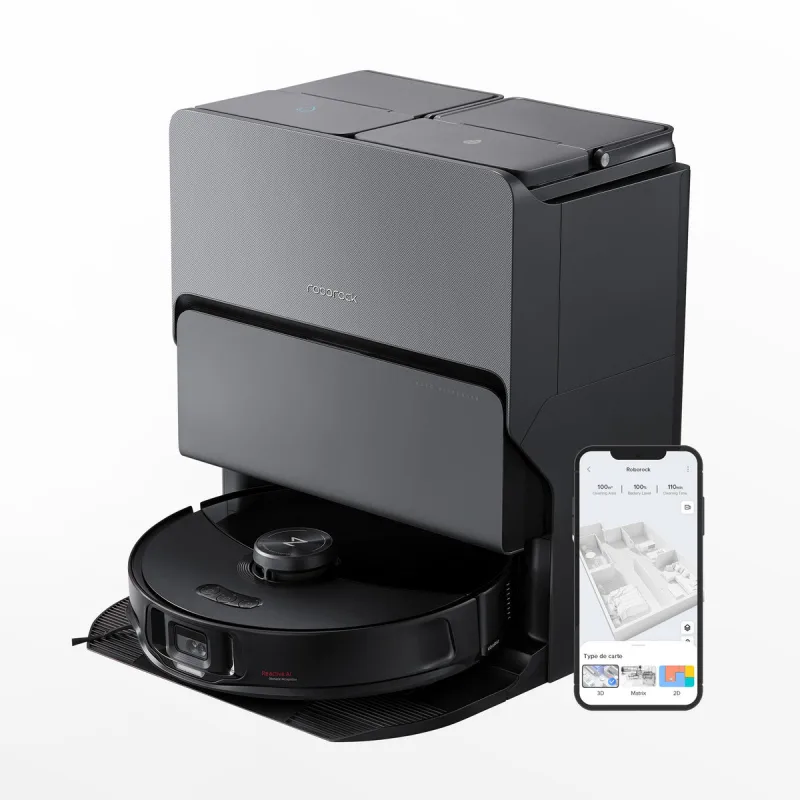
Roborock Vacuum
homebridge-roborock-vacuum · v2.4.0
Adds Roborock robot vacuums to Apple Home over HomeKit or Matter with local network control.
What it says it supports
Brands
- Roborock
Devices it names
- Roborock robot vacuums
Shows up in Apple Home as from its README
What people report
Maintainer actively adds new Roborock models on request when given the internal model ID; newer L01-protocol models needed local/cloud fixes.
- Works7
- Not working1
- Requested1
| Device | Status | What they said | Source |
|---|---|---|---|
| Roborock a140 | Works | Support addedSaved copy此變更新增了對兩種新的 Roborock 吸塵器型號的支援:roborock.vacuum.a140 和 roborock.vacuum.ss07。 --- *PR created automatically by Jules for task 748787851069192169 started by @tasict* Excerpt saved from GitHub on 2026-10-22. | PR #25 · 2025-11 |
| Roborock L01-protocol models | Works | Fixed HELLO frame so local connection worksSaved copyProblem Newer Roborock models that use the L01 local transport (AES‑256‑GCM behind a protocol‑0 HELLO handshake on TCP `58867`) never actually establish a local connection. The socket connects, but every local RPC times out with `Local connect state: true` and the plugin falls back to cloud for everything: [code] Reported in #45 (Saros 10 / `a147`) and #31 (Q7 Max), among others. Root cause The L01 handshake added in `6d50ebf5` builds a malformed HELLO frame. `ensureL01Handshake()` calls `buildRoborockMessage(duid, 1, …)`, which emits a frame that includes a `payloadLen` field and a CRC (23 … Excerpt saved from GitHub on 2026-10-22. | PR #55 · 2026-06 |
| Roborock Q10 S5 | Works | Model added in PR; users still reported not discovered in 2026 (newer protocol)Saved copy此變更新增了對兩種新的 Roborock 吸塵器型號的支援:roborock.vacuum.a140 和 roborock.vacuum.ss07。 --- *PR created automatically by Jules for task 748787851069192169 started by @tasict* Excerpt saved from GitHub on 2026-10-22. | PR #25 · 2025-11 |
| Roborock Qrevo | Works | Auto-fails over to cloud when local connection is unresponsiveSaved copyProblem On newer models like the Roborock Qrevo (`roborock.vacuum.a185`), the device accepts the local TCP connection but never answers the local control protocol, so every local request times out (10s each). The existing fallback only switches to the cloud/MQTT path when the local socket is *disconnected*, but here it stays "connected yet mute", so it never falls back and remains on the dead local path. Cloud/MQTT works fine for these models. Root cause `messageQueueHandler.sendRequest` only sets `useCloudConnection` on `!localConnectionState`, and `localConnector.isConnected()` returns the … Excerpt saved from GitHub on 2026-10-22. | PR #53 · 2026-06 |
| Roborock Qrevo Curv S5X | Works | Confirmed already supportedSaved copyIssue #36 reports model `roborock.vacuum.a159` as unsupported, but investigation confirms full support exists in codebase since initial commit. Current State Model a159 is configured in `roborockLib/lib/deviceFeatures.js`: 14 feature actions in `modelConfig` (lines 1016-1031) Included in 4 feature support arrays (isMopForbiddenSupported, isShakeMopStrengthSupported, isWaterBoxSupported, isAvoidCarpetSupported) Listed in README.md as supported Root Cause Published npm version is 1.3.2; current code is 1.3.5. User experiencing issue is on older published version. Resolution No code changes … Excerpt saved from GitHub on 2026-10-22. | PR #37 · 2026-02 |
| Roborock Saros 10 | Works | Support added after requestSaved copyThanks for reporting this. I added support for `roborock.vacuum.a147` (Saros 10) so it is no longer treated as an unsupported model. I also fixed the minimum-data refresh path for this model to make sure the related settings are actually queried and updated, including: carpet mode carpet clean mode water box custom mode So this should address both the unsupported-model warning and the stale/missing state updates for Saros 10. If you still have problems after updating, please attach your Homebridge log in debug mode so I can check whether there are any additional model-specific issues. Excerpt saved from GitHub on 2026-10-22. | Issue #42 · 2026-03 |
| Roborock vacuums (S5 Max, S6, S7, S8, Q-series, Qrevo) | Works | Any account vacuum: scenes/routines as switches, schedules, local control; user running it weeksSaved copyI am using this plugin now for a few weeks and yes, routines and schedules show up once you connect the plugin via the provided HomeKit child bridge to your home. Routines then can be put in any automations like vacuuming once you leave your house. The switches for schedules turn them on or off in case you want to deactivate them for some time. Thee plugin also provides optional switches and sensors. For example I am using the “is cleaning” sensor m the floor so the robot won’t drive into them. Excerpt saved from Arctic Shift Reddit archive on 2026-10-22. | Reddit comment · 2026-10 |
| Roborock Q7 M5+ | Not working | Same discovery error as Q10 S5Saved copyHi 👋 first of all, thank you for your great work on this plugin! I’ve been using Homebridge for a while and just got a new Roborock Q10 S5 (roborock.vacuum.ss07). I set up everything correctly with my Roborock credentials in the plugin, but unfortunately, the device does not appear in Homebridge. ⸻ 🧩 Details: • Region: DE / EU • Roborock App used (Mi Home not compatible) • Model: Roborock Q10 S5 • Released: 2025 • Firmware: 03.10.19 ⸻ 🧾 What happens When Homebridge starts, the logs end with: [RoborockVacuum] Discovering vacuum devices No further entries are shown, no “device found” or … Excerpt saved from GitHub on 2026-10-22. | Issue #23 · 2026-01 |
| Costco Roborock QX Revo Plus | Requested | Maintainer asked for log and model ID; improvements made, no confirmationSaved copyHi there, I've got the Costo QX Revo Plus, any chance of adding this model? I would greatly appreciate it. Excerpt saved from GitHub on 2026-10-22. | Issue #44 · 2026-03 |
Gathered from the plugin’s GitHub issues, pull requests, discussions, wiki and docs, and from r/homebridge. These are individual reports, so check the linked thread and the date before you buy.
How it connects
Local + cloud
Roborock app account sign-in; commands sent locally
You’ll need
- Roborock app account
Compatibility
| Verified by Homebridge | No |
|---|---|
| Homebridge versions | ^1.6.0 || ^2.0.0-beta.0 |
| Homebridge 2.0 | Yes |
| Node.js | ^18.20.4 || ^20.15.1 || ^22 || ^24 |
| Settings in Homebridge UI | Yes |
| Matter | Yes (uses the Homebridge 2 Matter API) |
| Platform name | RoborockVacuumPlatform |
| License | MIT |
Community signals
| Downloads a week | 231 |
|---|---|
| Downloads a month | 1,757 |
| GitHub stars | 40 |
| Open issues | 0 |
| Closed issues | 48 |
| Last code push | 2026-10-21 |
| Latest version | 2.4.0 (2026-10-21) |
| First published | 2025-02-26 |
| Releases | 63 |
In ReReHome
Whatever this plugin publishes reaches Apple Home as a normal HomeKit accessory behind your Homebridge bridge, so ReReHome shows and controls it like any other.
Bridges get their own settings page listing the accessories behind them.
HomeKit services in its code
Found by scanning the published npm package. A plugin can register a service only for some devices.
- Battery
- Fanv2
- FilterMaintenance
- Switch