Sensibo
homebridge-sensibo-ac · v3.0.2
Adds Sensibo AC controllers, room sensors and air purifier to HomeKit.
What it says it supports
Brands
- Sensibo
Devices it names
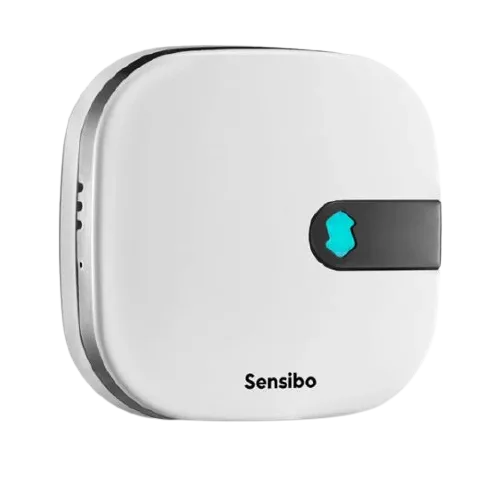
- Sensibo Sky
- Sensibo Air
- Sensibo Air Pro
- Sensibo Elements
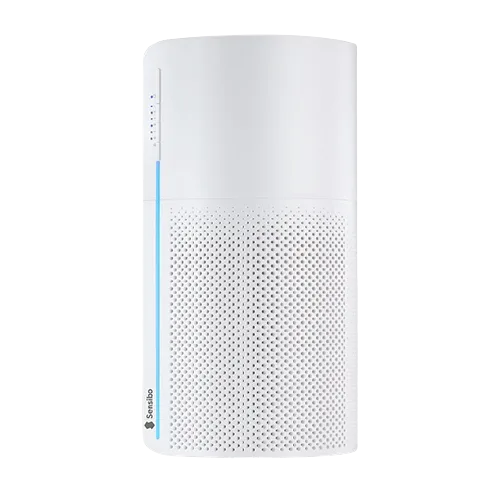
- Sensibo Pure
Shows up in Apple Home as from its README
Sensor readings in its code
What people report
- Works2
- Partly works1
| Device | Status | What they said | Source |
|---|---|---|---|
| Daikin split AC via Sensibo | Works | Old Daikin units controlled via first-gen Sensibo IR blasterSaved copyI have three really old (20yr) daikin AC units and one newer one and have had them all controlled via the Sensibo IR blaster. Even the Sensibo’s are their 1st gen ones. Everything works fine via Homebridge. I note that the Homebridge plugin I use is not HB2.0 certified, I will probably look for another or fork the repo and make it compliant myself. I did that with for my coffee machine plugin a while back. But honestly the Sensibo/Homebridge setup has been rock solid for me for years now. If you have placed the Sensibo thing properly, you will get 99.9% accurate hit. I have one basically in … Excerpt saved from Arctic Shift Reddit archive on 2026-10-22. | Reddit comment · 2026-05 |
| Sensibo | Works | Works great for 6 months; another user says a bit quirky but fineSaved copySensibo and homebridge works great for me. Been using it for 6 months Excerpt saved from Arctic Shift Reddit archive on 2026-10-22. | Reddit comment · 2019-07 |
| Sensibo Sky | Partly works | Cloud only; no local control, stops working without internetSaved copy… possible to use HomeKit Secure Router as ‘Restrict to Home’ or to be able to control it when there is no internet connection. Local control doesn’t exist for Sensibo. In contact with their support I was told that “all the data is stored on the servers, so the device needs to be connected to the internet all the time in order to send all the commands including the pre-defined tasks such as schedules and geofencing.” Probably to comply with Apple HomeKit they’ve made some workaround where the device doesn’t show the ‘no response’ message, it shows the current state of it (on/off) when switching … Excerpt saved from Arctic Shift Reddit archive on 2026-10-22. | Reddit comment · 2020-03 |
Gathered from the plugin’s GitHub issues, pull requests, discussions, wiki and docs, and from r/homebridge. These are individual reports, so check the linked thread and the date before you buy.
How it connects
Cloud
Sensibo cloud API
You’ll need
- Sensibo username/password or API key
Compatibility
| Verified by Homebridge | Yes |
|---|---|
| Homebridge versions | ^1.8.0 || ^2.0.0 |
| Homebridge 2.0 | Yes |
| Node.js | ^22.10.0 || ^24.0.0 |
| Settings in Homebridge UI | Yes |
| Matter | No |
| Platform name | SensiboAC |
| License | GNU |
Community signals
| Downloads a week | 20 |
|---|---|
| Downloads a month | 310 |
| GitHub stars | 82 |
| Open issues | 2 |
| Closed issues | 125 |
| Last code push | 2026-08-11 |
| Latest version | 3.0.2 (2026-05-13) |
| First published | 2020-05-03 |
| Releases | 89 |
In ReReHome
Whatever this plugin publishes reaches Apple Home as a normal HomeKit accessory behind your Homebridge bridge, so ReReHome shows and controls it like any other.
Bridges get their own settings page listing the accessories behind them.
Caveats from the README
- AC Sync button does not send commands
HomeKit services in its code
Found by scanning the published npm package. A plugin can register a service only for some devices.
- AirPurifier
- AirQualitySensor
- CarbonDioxideSensor
- Fanv2
- HeaterCooler
- HumidifierDehumidifier
- HumiditySensor
- Lightbulb
- MotionSensor
- OccupancySensor
- Switch
- TemperatureSensor
Sources
- npm: https://www.npmjs.com/package/homebridge-sensibo-ac
- Source code: https://github.com/nitaybz/homebridge-sensibo-ac
- Issues: https://github.com/nitaybz/homebridge-sensibo-ac/issues
- Verified plugins list: https://github.com/homebridge/verified