Shelly NG
homebridge-shelly-ng · v1.6.0
Adds next-generation Shelly Plus and Pro relays, plugs and inputs to HomeKit.
What it says it supports
Brands
- Shelly
Devices it names
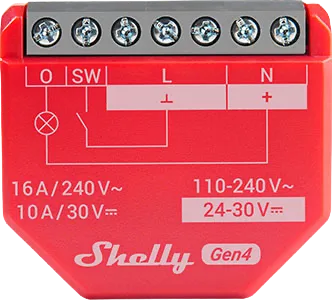
- Shelly Plus 1
- Shelly Plus 1 PM
- Shelly Plus 2 PM
- Shelly Plus I4
- Shelly Plus Plug US
- Shelly Pro 1
- Shelly Pro 1 PM
- Shelly Pro 2
- Shelly Pro 2 PM
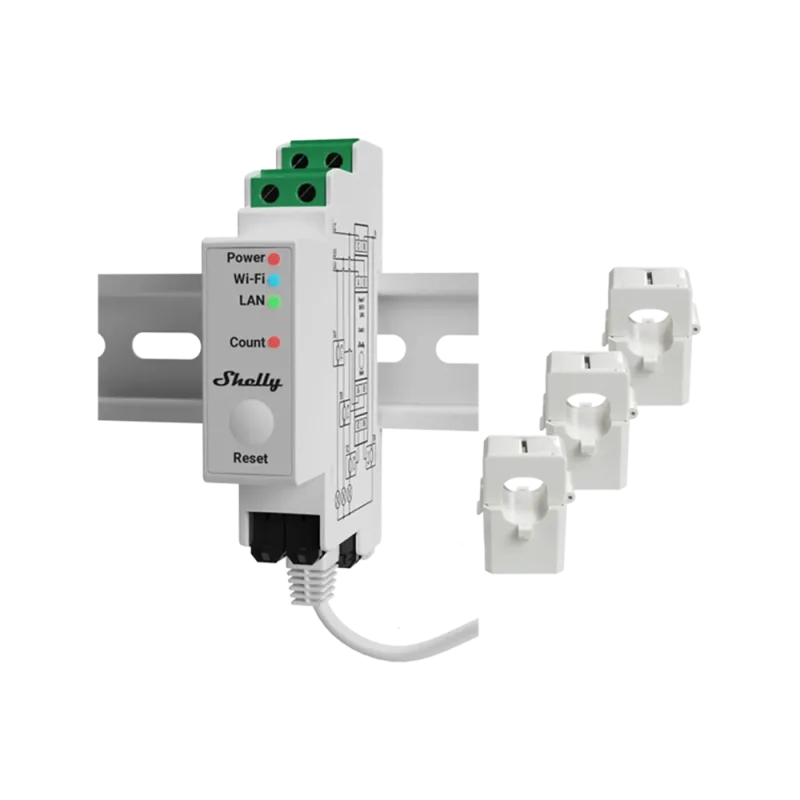
- Shelly Pro 3
- Shelly Pro 4 PM
Shows up in Apple Home as from its README
What people report
Supports many Gen2 Shelly Plus/Pro devices; several newer models are reported as unknown and need a release. Maintainer adds models on request.
- Works7
- Partly works1
- Not working7
- Requested5
The plugin’s own supported-device list
| Device | Status | What they said | Source |
|---|---|---|---|
| Shelly i4 DC | Works | Can detect 12V alarm trigger; may need negative trigger relaySaved copyYou can use a Shelly i4 DC with the Shelly NG Homebridge plugin or else flash it with the Shelly HomeKit firmware. The Shelly requires a negative trigger to activate the input rather than a positive trigger so you may need to use a 12v DC relay to provide a negative trigger. I done something similar recently and it works great. Excerpt saved from Arctic Shift Reddit archive on 2026-10-22. | Reddit comment · 2024-01 |
| Shelly Plus 1 | Works | Listed in wiki model prefixesSaved copyA device ID of a next generation Shelly device consists of the model name and a 12 digit hexadecimal number (0-9 and a-f), separated by a dash (-), for example `shellyplus1-c4dd57877294` or `shellypro4pm-f008d1d8b8b8`. Lower or upper case letters doesn’t matter. Below are some ways to find out what ID a device has. IP Address If you know the IP address of your device, you can visit the following URL in your browser: `http:// /shelly` This page will return some JSON encoded data, such as: [code] The device ID is what comes after `"id":` (but without the quotes). Homebridge Log If your device … Excerpt saved from GitHub on 2026-10-22. | Wiki: Finding a device ID |
| Shelly Plus 1 PM | Works | Listed in wiki model prefixesSaved copyA device ID of a next generation Shelly device consists of the model name and a 12 digit hexadecimal number (0-9 and a-f), separated by a dash (-), for example `shellyplus1-c4dd57877294` or `shellypro4pm-f008d1d8b8b8`. Lower or upper case letters doesn’t matter. Below are some ways to find out what ID a device has. IP Address If you know the IP address of your device, you can visit the following URL in your browser: `http:// /shelly` This page will return some JSON encoded data, such as: [code] The device ID is what comes after `"id":` (but without the quotes). Homebridge Log If your device … Excerpt saved from GitHub on 2026-10-22. | Wiki: Finding a device ID |
| Shelly Plus 2 PM | Works | Support added in beta after requestSaved copy@alexryd Finding and adding the Shelly Plus 2 PM was successful. Also in Homebridge App, Works flawlessly. I only use the Shelly Plus 2 PM as a switch. I don't have a window cover to test that. I will also test Shelly Plus I4 asap. Can you please add the function? That he does not add Switch 1 to the device category but takes the Name (device name) for Shelly Plus 1 PM and Shelly Plus 1. And for Shelly Plus 2 PM and Shelly Plus I4 the Channel Name. Thank you for your good work!! Excerpt saved from GitHub on 2026-10-22. | Issue #12 · 2022-02 |
| Shelly Plus I4 | Works | Support added in beta after requestSaved copy@alexryd Finding and adding the Shelly Plus 2 PM was successful. Also in Homebridge App, Works flawlessly. I only use the Shelly Plus 2 PM as a switch. I don't have a window cover to test that. I will also test Shelly Plus I4 asap. Can you please add the function? That he does not add Switch 1 to the device category but takes the Name (device name) for Shelly Plus 1 PM and Shelly Plus 1. And for Shelly Plus 2 PM and Shelly Plus I4 the Channel Name. Thank you for your good work!! Excerpt saved from GitHub on 2026-10-22. | Issue #12 · 2022-02 |
| Shelly Pro 1 | Works | Listed in wiki model prefixesSaved copyA device ID of a next generation Shelly device consists of the model name and a 12 digit hexadecimal number (0-9 and a-f), separated by a dash (-), for example `shellyplus1-c4dd57877294` or `shellypro4pm-f008d1d8b8b8`. Lower or upper case letters doesn’t matter. Below are some ways to find out what ID a device has. IP Address If you know the IP address of your device, you can visit the following URL in your browser: `http:// /shelly` This page will return some JSON encoded data, such as: [code] The device ID is what comes after `"id":` (but without the quotes). Homebridge Log If your device … Excerpt saved from GitHub on 2026-10-22. | Wiki: Finding a device ID |
| Shelly Pro 2 PM | Works | Listed in wiki model prefixesSaved copyA device ID of a next generation Shelly device consists of the model name and a 12 digit hexadecimal number (0-9 and a-f), separated by a dash (-), for example `shellyplus1-c4dd57877294` or `shellypro4pm-f008d1d8b8b8`. Lower or upper case letters doesn’t matter. Below are some ways to find out what ID a device has. IP Address If you know the IP address of your device, you can visit the following URL in your browser: `http:// /shelly` This page will return some JSON encoded data, such as: [code] The device ID is what comes after `"id":` (but without the quotes). Homebridge Log If your device … Excerpt saved from GitHub on 2026-10-22. | Wiki: Finding a device ID |
| Shelly 2PM (window blinds) | Partly works | Blinds show as two switches; shutter function broken in outdated shelly-ng pluginSaved copythe shelly-ng plugin is not up to date anymore and the shutter function with the shelly2pm is broken for me as well. Excerpt saved from Arctic Shift Reddit archive on 2026-10-22. | Reddit comment · 2024-02 |
| Shelly 1 | Not working | Plugins find no devices (error 1006); only homebridge-door-lock-shelly1 works; DS9 fork and Avahi suggestedSaved copyShelly DS9 does not support the Shelly 1 device. Returning to the main script (Shelly NG)as the author recommended regarding Shelly 1. I still have no idea at all.. Below is the log section of it: \[11/16/2024, 8:05:08 PM\] Registering platform 'homebridge-shelly-ng.ShellyNG' \[11/16/2024, 8:05:08 PM\] \[Shelly NG\] Loaded homebridge-shelly-ng v1.6.0 child bridge successfully \[11/16/2024, 8:05:08 PM\] Loaded 0 cached accessories from cachedAccessories.0E1E082959B5. \[11/16/2024, 8:05:08 PM\] Homebridge v1.8.0 (HAP v0.12.0) (Shelly NG) is running on port 41878. \[11/16/2024, 8:05:08 PM\] … Excerpt saved from Arctic Shift Reddit archive on 2026-10-22. | Reddit thread · 2024-11 |
| Shelly 1 Plus | Not working | Plugin cannot find or connect (code 1006); only HTTP door-lock plugin worksSaved copyShelly DS9 does not support the Shelly 1 device. Returning to the main script (Shelly NG)as the author recommended regarding Shelly 1. I still have no idea at all.. Below is the log section of it: \[11/16/2024, 8:05:08 PM\] Registering platform 'homebridge-shelly-ng.ShellyNG' \[11/16/2024, 8:05:08 PM\] \[Shelly NG\] Loaded homebridge-shelly-ng v1.6.0 child bridge successfully \[11/16/2024, 8:05:08 PM\] Loaded 0 cached accessories from cachedAccessories.0E1E082959B5. \[11/16/2024, 8:05:08 PM\] Homebridge v1.8.0 (HAP v0.12.0) (Shelly NG) is running on port 41878. \[11/16/2024, 8:05:08 PM\] … Excerpt saved from Arctic Shift Reddit archive on 2026-10-22. | Reddit thread · 2024-11 |
| Shelly Plus 1 | Not working | 'Unexpected device ID' error adding it; flashing HomeKit firmware or DS9 plugin suggested; another user still failsSaved copyHelp pls! I keep getting the error unexpected device ID in the log when trying to add my Shelly plus 1 and shelly plus 2pm to homebridge. I’ve tried reset, restart, uninstall homebridge and the plugin and reinstall and nothing seem to work. I’m running homebridge on MAC OS. Shelly FW1.4 Excerpt saved from Arctic Shift Reddit archive on 2026-10-22. | Reddit thread · 2024-08 |
| Shelly Plus 2PM | Not working | 'Unexpected device ID' error adding it; DS9 fork suggested, another user still cannot discover themSaved copyHelp pls! I keep getting the error unexpected device ID in the log when trying to add my Shelly plus 1 and shelly plus 2pm to homebridge. I’ve tried reset, restart, uninstall homebridge and the plugin and reinstall and nothing seem to work. I’m running homebridge on MAC OS. Shelly FW1.4 Excerpt saved from Arctic Shift Reddit archive on 2026-10-22. | Reddit thread · 2024-08 |
| Shelly Plus 2PM | Not working | Does not appear in Homebridge UI; mDNS and child bridge suggested.Saved copyShelly Plus 2PM not showing up in Homebridge (Docker) – what am I doing wrong? Hello everyone, I have an issue with my Homebridge installation in Docker, where I want to integrate two Shelly devices: Shelly Dimmer (works perfectly using the plugin @tritter/homebridge-shelly) Shelly Plus 2PM, which does not appear in the Homebridge UI. My setup: I use Homebridge in a Docker container via Synology NAS. For the Shelly Plus 2PM, I use the plugin homebridge-shelly-ng. My current config.json (excerpt for Shelly Plus 2PM) looks like this: json Kopieren Bearbeiten { "platform": "ShellyNG", "name": … Excerpt saved from Arctic Shift Reddit archive on 2026-10-22. | Reddit thread · 2025-03 |
| Shelly Pro 1 PM | Not working | Unknown device model SPSW-201PE15UL discoveredSaved copyHi, I'm getting this error with my shelly pro1pm: [shellypro1pm-ID] Unknown device of model "SPSW-201PE15UL" discovered. Is it possible to add that model plz? Of course ID is the actual ID Thanks Excerpt saved from GitHub on 2026-10-22. | Issue #144 · 2024-12 |
| Shelly Pro 4 PM | Not working | Reported as unknown device model SPSW-104PE16EUSaved copyHi there, Tried all configuration possible but, it sound's that for ShellyPro4PM something going wrong, no way to make the plugin accepting it. Note: I tried with and without mdns, same result. In fact, with mdns set to "true", only ShellyPro1 is going well, for Pro4PM, log always shows "Unknown device of model "SPSW-104PE16EU" Here is some information that should/could help: Log extract ==> [26/02/2023 19:47:29] [Shelly NG] mDNS device discovery started [26/02/2023 19:47:29] [Shelly NG] [shellypro4pm-ec62609ed9c4] Unknown device of model "SPSW-104PE16EU" discovered. [26/02/2023 19:47:29] … Excerpt saved from GitHub on 2026-10-22. | Issue #68 · 2023-02 |
| Shelly 2PM Gen3 | Requested | Not supported; user suggests using Matter insteadSaved copyI found out that Shelly has official guidance for adding Shelly 2PM Gen3 to Apple Home via Matter so no need to have it on homebridge. You just need to enable Matter on the device (Shelly’s has this page with steps: https://support.shelly.cloud/en/support/solutions/articles/103000343814-connecting-shelly-matter-compatible-devices-to-apple-homekit-application) Excerpt saved from GitHub on 2026-10-22. | Issue #140 · 2024-10 |
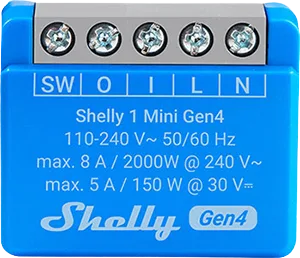
| Shelly Plus 1 Mini | Requested | Open PR adds support; depends on node-shellies-ngSaved copyIf anybody (@jakubkasparek ) wants to enable support for this on their homebridge: Install the vaniala homebridge-shelly-ng plugin manually edited the following files: $HOMEBRIDGE_HOME/node_modules/homebridge-shelly-ng/node_modules/shellies-ng/dist/devices --> shelly-plus-1.js and shelly-plus-1-pm.js base your edits on https://github.com/alexryd/node-shellies-ng/pull/7 BUT in my case I bought (https://www.alza.cz/shelly-plus-1pm-mini-spinaci-modul-wifi-gen3-d8636605.htm) and to enable it I had to change "SNSW-001P8EU" to "S3SW-001P8EU" to get it recognised and working additionally you need to … Excerpt saved from GitHub on 2026-10-22. | PR #88 · 2023-10 |
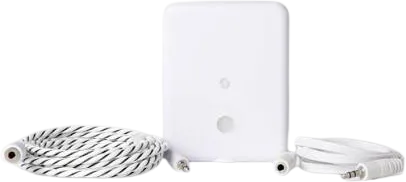
| Shelly Plus H&T | Requested | Maintainer plans support; battery device needs extra workSaved copyHello, I got a new Shelly Plus H&T today, but it's not recognized by the plugin yet. Can you please add support in the future? If I can support somehow, let me know. My instance of Hombridge recognizes the new sensors: [Shelly NG] [shellyplusht-7c87ce6b5070] Unknown device of model "SNSN-0013A" discovered. But the sensors are not integrated as a device by the plugin. Excerpt saved from GitHub on 2026-10-22. | Issue #40 · 2022-07 |
| Shelly Plus I4DC | Requested | Open PR adds support; needs node-shellies-ng dependencySaved copyThe Shelly Plus I4DC is the DC version of the Shelly Plus I4, this device has a different model number than the main Shelly Plus I4. This pull request has a dependency on the pull request I made in node-shellies-ng, the plugin will crash without this version of node-shellies-ng. Excerpt saved from GitHub on 2026-10-22. | PR #114 · 2024-02 |
| Shelly Pro 2 Cover PM | Requested | Second cover config PR closed unmergedSaved copyAdd support for second cover for Shelly Pro 2 Cover PM switch Excerpt saved from GitHub on 2026-10-22. | PR #124 · 2024-05 |
Gathered from the plugin’s GitHub issues, pull requests, discussions, wiki and docs, and from r/homebridge. These are individual reports, so check the linked thread and the date before you buy.
How it connects
Local
Shelly Gen 2 local API on the LAN
Compatibility
| Verified by Homebridge | Yes |
|---|---|
| Homebridge versions | >=1.3.5 |
| Homebridge 2.0 | No |
| Node.js | >=14.18.3 |
| Settings in Homebridge UI | Yes |
| Matter | No |
| Platform name | ShellyNG |
| License | GPL-3.0 |
Community signals
| Downloads a week | 42 |
|---|---|
| Downloads a month | 139 |
| GitHub stars | 138 |
| Open issues | 103 |
| Closed issues | 48 |
| Last code push | 2024-05-02 |
| Latest version | 1.6.0 (2022-08-23) |
| First published | 2022-01-20 |
| Releases | 16 |
In ReReHome
Whatever this plugin publishes reaches Apple Home as a normal HomeKit accessory behind your Homebridge bridge, so ReReHome shows and controls it like any other.
Bridges get their own settings page listing the accessories behind them.
Caveats from the README
- Gen 1 devices need homebridge-shelly
HomeKit services in its code
Found by scanning the published npm package. A plugin can register a service only for some devices.
- Door
- Outlet
- ServiceLabel
- StatelessProgrammableSwitch
- Switch
- Window
- WindowCovering
Sources
- npm: https://www.npmjs.com/package/homebridge-shelly-ng
- Source code: https://github.com/alexryd/homebridge-shelly-ng
- Issues: https://github.com/alexryd/homebridge-shelly-ng/issues
- Verified plugins list: https://github.com/homebridge/verified