UniFi Access
homebridge-unifi-access · v2.0.1
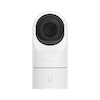
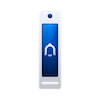
Adds UniFi Access hubs, readers, door locks, gates and door sensors to HomeKit with doorbell support.
What it says it supports
Brands
- Ubiquiti
- UniFi
Devices it names
- UA Hub
- UA Hub Door Mini
- UA Ultra
- Access Enterprise Hub
- UA Gate
- UniFi Access readers
Shows up in Apple Home as from its README
Sensor readings in its code
What people report
Supports UniFi Access hubs as locks; intercoms and camera features are not supported by the maintainer. Gate Hub support was added through PRs.
- Works1
- Requested2
- Won’t be supported2
| Device | Status | What they said | Source |
|---|---|---|---|
| UniFi Access Gate Hub (UGT) | Works | Side door lock support merged for dual-door gate hubSaved copyUA Gate Hub - Full Support for Dual Door Configuration Summary This PR adds comprehensive support for UniFi Access Gate Hub (UGT) devices with dual door configurations, including main gate and side door (pedestrian gate) management in HomeKit. New Features 🚪 Dual Door Support for UA Gate Main Door: GarageDoorOpener service by default (configurable via `Hub.DoorServiceType`) Side Door: Lock service (always) for pedestrian gate control Full lock/unlock control for both doors via HomeKit Optional lock trigger switch for automation (`Hub.SideDoor.Lock.Trigger`) 📡 Door Position Sensor (DPS) for UA … Excerpt saved from GitHub on 2026-10-22. | PR #63 · 2025-11 |
| UA-Ultra | Requested | PR adds lock state support; closed without mergeSaved copyHello, This PR add support of UA-ULTRA state (state is on `output_d1_lock_relay` not `input_state_rly-lock_dry` like other UA hub). Note : I will do a PR on https://github.com/hjdhjd/unifi-access for unlock command (it's not base on device api but location api). Excerpt saved from GitHub on 2026-10-22. | PR #15 · 2024-07 |
| UniFi Access Reader | Requested | Support PRs closed without mergeSaved copyhttps://github.com/hjdhjd/homebridge-unifi-access/pull/52#issuecomment-2964301861 Thank you for your thoughtful feedback on this PR. I completely understand your preference for a more holistic approach, and I respect whatever direction you feel is best for the project. I wanted to reopen this in case you'd like to reconsider or use it as a reference point. Since the original submission in June, I've been running this modified version of the plugin in production and it's been quite reliable. I've also made several bug fixes to the original prototype: Fixed the `Reader.HandWave` feature option … Excerpt saved from GitHub on 2026-10-22. | PR #61 · 2025-10 |
| UA Intercom | Won’t be supported | Maintainer says intercoms are not supported, PRs welcomeSaved copyDescribe the feature request Hi Im using this great plugin, but I can't get it to work with my new Unifi Intercoms. Can you help me out here ? This is from the logs ... [8/9/2024, 7:26:21 PM] [UniFi Access] UniFi Dream Machine Pro: UniFi Access device type 'UA-Intercom' is not currently supported, ignoring: UA Intercom 999a [UA Intercom]. [8/9/2024, 7:26:21 PM] [UniFi Access] UniFi Dream Machine Pro UA-HUB-5349 [UA Hub]: Syncing Access device name to HomeKit. [8/9/2024, 7:26:21 PM] [UniFi Access] UniFi Dream Machine Pro UA-HUB-5349 [UA Hub]: The door lock relay will lock five seconds after … Excerpt saved from GitHub on 2026-10-22. | Issue #20 · 2024-08 |
| UA-G3-Intercom | Won’t be supported | No camera functionality for Access; use UniFi ProtectSaved copyDescribe the feature request Hi, first off all I want to thank you for super plugin! And my request is: can you pls add support for UA-G3-Intercom so it can be set not as camera but doorbell. And when some one ring intercom I can see him on my Apple TV. Thank you Describe the proposed solution Thank you Describe alternatives you have considered to the enhancement Thank you Excerpt saved from GitHub on 2026-10-22. | Issue #50 · 2025-05 |
Gathered from the plugin’s GitHub issues, pull requests, discussions, wiki and docs, and from r/homebridge. These are individual reports, so check the linked thread and the date before you buy.
How it connects
Local
UniFi Access controller over LAN (local user or API token)
You’ll need
- UniFi Access controller
- local user credentials or API token
Compatibility
| Verified by Homebridge | Yes |
|---|---|
| Homebridge versions | >=2.0.0 |
| Homebridge 2.0 | Yes |
| Node.js | >=22.20 |
| Settings in Homebridge UI | Yes |
| Matter | No |
| Platform name | UniFi Access |
| License | ISC |
Community signals
| Downloads a week | 150 |
|---|---|
| Downloads a month | 997 |
| GitHub stars | 71 |
| Open issues | 0 |
| Closed issues | 74 |
| Last code push | 2026-09-23 |
| Latest version | 2.0.1 (2026-09-23) |
| First published | 2020-08-10 |
| Releases | 24 |
In ReReHome
Whatever this plugin publishes reaches Apple Home as a normal HomeKit accessory behind your Homebridge bridge, so ReReHome shows and controls it like any other.
Bridges get their own settings page listing the accessories behind them.
HomeKit services in its code
Found by scanning the published npm package. A plugin can register a service only for some devices.
- ContactSensor
- Doorbell
- GarageDoorOpener
- LockMechanism
- Switch
Sources
- npm: https://www.npmjs.com/package/homebridge-unifi-access
- Source code: https://github.com/hjdhjd/homebridge-unifi-access
- Issues: https://github.com/hjdhjd/homebridge-unifi-access/issues
- Verified plugins list: https://github.com/homebridge/verified