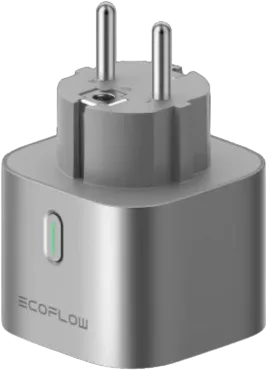
EcoFlow
@pietrolubini/homebridge-ecoflow · v1.6.0
Adds EcoFlow power stations, micro-inverters, smart plugs and air conditioners to HomeKit.
What it says it supports
Brands
- EcoFlow
Devices it names
- Delta 2
- Delta 2 Max
- Delta Pro
- Delta Pro 3
- Delta Pro Ultra
- Discovery
- Glacier
- PowerOcean
- PowerStream Micro-inverter
- Smart Plug
- Wave Air Conditioner
Shows up in Apple Home as from its README
Sensor readings in its code
What people report
EcoFlow Powerstream and Delta Pro 3 have been added; Wave 2, River and River 3 are requested.
- Works2
- Requested3
| Device | Status | What they said | Source |
|---|---|---|---|
| EcoFlow Delta Pro 3 | Works | Support added in v1.5.0Saved copyThank you for providing more info. I've fixed the bugs. Can you try the following cases one more time in v1.5.0-beta.2? |Description|Expected|Result|Comment| |-----|-----|-----|-----| |Plugin some device to AC HV and turn it on|AC HV' Power Socket in use should be Yes|ALWAYS SHOWS NO|Consumption parameter is sent by Ecoflow as a negative value. Fixed| |Turn off all devices that are plugged in to AC HV|AC HV' Power Socket in use should be No|ALWAYS SHOWS NO|Consumption parameter is sent by Ecoflow as a negative value. Fixed| |Plugin some device to AC HV and turn it on|AC HV' Output Consumption … Excerpt saved from GitHub on 2026-10-22. | Issue #25 · 2024-09 |
| EcoFlow PowerStream micro-inverter | Works | Added in v1.3.0; power value scaling bug fixedSaved copy… for the fix :) The values are now shown correctly. For which value is the lightbulb brightness? Is it possible to connect it to the output power of the PowerStream-Converter. (0-100% 0-800W) _For which value is the lightbulb brightness?_ It is for "LIghting setting" in EcoFlow app _Is it possible to connect it to the output power of the PowerStream-Converter?_ If you are talking about "AC output power demand", i've added Fan Rotation Speed (100% - 600/800) to control this setting. Note that if you have 800W PowerStream, you should set `powerstream`.`type` in config to 800. By the way, it is … Excerpt saved from GitHub on 2026-10-22. | Issue #17 · 2024-08 |
| EcoFlow River | Requested | Open request for battery, power and AC/DC switchSaved copyDevice Power Kits Characteristics Requesting support for the original EcoFlow RIVER portable power station. Model: EcoFlow RIVER Credentials: Approved Desired characteristics to expose in HomeKit (as shown in the attached app interface): Battery level / State of charge (%) Input and Output watts Internal temperature monitoring AC output remote switch toggle 12V DC output remote switch toggle LED light control Are you ready to test beta version of plugin with added device support? 🟢 Yes More Information I have an EcoFlow developer account with valid Access/Secret keys ready for testing. Since … Excerpt saved from GitHub on 2026-10-22. | Issue #61 · 2026-09 |
| EcoFlow River 3 | Requested | Open request; users willing to testSaved copyIs your feature request related to a problem? Please describe: Please add support for Ecoflow River 3 - Model EFR705 Thanks. Of course I am willing to test it. Describe the solution you'd like: Support for the device Describe alternatives you've considered: _No response_ Additional context: _No response_ Excerpt saved from GitHub on 2026-10-22. | Issue #45 · 2025-08 |
| EcoFlow Wave 2 portable AC | Requested | Open request; help in testing wanted, marked disabledSaved copyDevice Wave Air Conditioner Characteristics Here are the list of features in Ecoflow app for Wave 2 air conditioner: 1) Power Status: On/Off 2) Mode Select: Cool, Heat or Fan mode 3) In Cool Mode: Fan Speed 1-3, Temperature 16-30 degree celsius, mode: Auto or Manual 4) In Heat mode: Fan speed 1-3, Temperature 16-30 degree celsois, Mode: Auto or Manual 5) in fan mode: Fan Speed 1-3 6) Automatic Drain: Drain-free or External drainage, Auto drain setting: On or Off 7) Ambient lighting: On or Off 8) Beep: on or off Are you ready to test beta version of plugin with added device support? 🟢 Yes More … Excerpt saved from GitHub on 2026-10-22. | Issue #30 · 2024-11 |
Gathered from the plugin’s GitHub issues, pull requests, discussions, wiki and docs, and from r/homebridge. These are individual reports, so check the linked thread and the date before you buy.
How it connects
Cloud
EcoFlow API using access and secret keys
You’ll need
- EcoFlow API access key and secret key
Compatibility
| Verified by Homebridge | Yes |
|---|---|
| Homebridge versions | ^1.7.0 || ^2.0.0-beta.11 |
| Homebridge 2.0 | Yes |
| Node.js | ^18.16.0 || ^20.9.0 || ^22 |
| Settings in Homebridge UI | Yes |
| Matter | No |
| Platform name | EcoFlowHomebridge |
| License | MIT |
Community signals
| Downloads a week | 320 |
|---|---|
| Downloads a month | 437 |
| GitHub stars | 5 |
| Open issues | 16 |
| Closed issues | 15 |
| Last code push | 2026-01-02 |
| Latest version | 1.6.0 (2025-04-29) |
| First published | 2024-07-17 |
| Releases | 17 |
In ReReHome
Whatever this plugin publishes reaches Apple Home as a normal HomeKit accessory behind your Homebridge bridge, so ReReHome shows and controls it like any other.
Bridges get their own settings page listing the accessories behind them.
HomeKit services in its code
Found by scanning the published npm package. A plugin can register a service only for some devices.
- Battery
- ContactSensor
- Fan
- Lightbulb
- Outlet
- Switch
- TemperatureSensor
- Thermostat