Overkiz
overkiz
The Overkiz (by Somfy) IoT platform is used by many different vendors, like Somfy, Hitachi, and Atlantic. This integration will allow users to integrate their devices into Home Assistant using the Overkiz API.
In Apple Home through HomeKit Bridge
What HomeKit Bridge makes of each kind of entity this integration creates, read from its source code. A device only gets the ones that apply to it.
| Entity | Shows up as | Note |
|---|---|---|
light | Light | |
switch | Switch or outlet | |
cover | Garage door, blind, window | |
climate | Thermostat | |
fan | Fan | |
lock | Lock | Needs its own HomeKit Bridge in accessory mode |
alarm_control_panel | Security system | |
binary_sensor | Sensor (carbon monoxide, contact, leak, occupancy, smoke) | |
sensor | Sensor (CO₂, air quality, carbon monoxide, humidity, light level, temperature) | |
water_heater | Water heater (as a thermostat) | |
button | Button (as a switch) | |
scene | Scene (as a switch) | |
select | Mode picker (as switches) |
13 reports below say how a device from this integration behaves in the Home app.
What people report
Somfy TaHoma/Connexoon covers work locally via Developer Mode, but heating and climate devices still need the cloud API. Mass-moving many shutters can drop commands.
- Works11
- Partly works8
- Not working3
- Won’t be supported2
| Device | In Home Assistant | In Apple Home | What they said | Source |
|---|---|---|---|---|
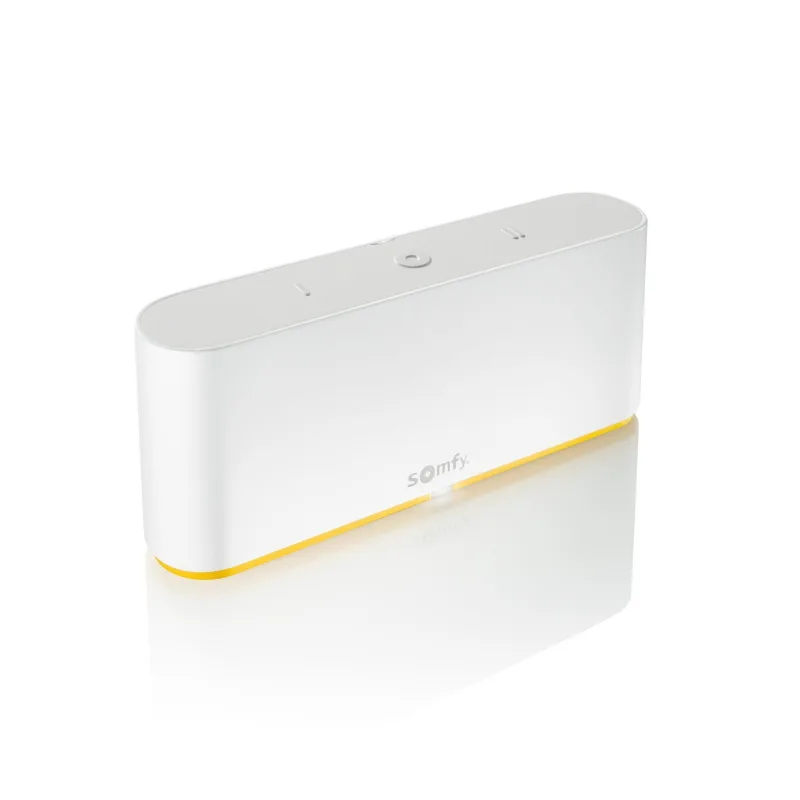
| Alta blinds with Somfy TaHoma Switch | Works Local | Works in Home Speaks HomeKit locally | Talks HomeKit and Overkiz locally, both work with HASaved copyBTW: Alta blinds with a TaHoma Switch speak HomeKit and Overkiz locally. Both of which happily talk to Home Assistant. Not the cheapest, but the Spouse Acceptance Factor is very high. Excerpt saved from the Arctic Shift Reddit archive on 2026-10-23. | Reddit comment · 2024-07 |
| Atlantic Domestic Hot Water Production V2 CETHI V4 | Works | Support addedSaved copyProposed change Add support of AtlanticDomesticHotWaterProductionV2_CETHI_V4_IOComponent models in Overkiz ## Type of change - [ ] Dependency upgrade - [x] Bugfix (non-breaking change which fixes an issue) - [ ] New integration (thank you!) - [ ] New feature (which adds functionality to an existing integration) - [ ] Deprecation (breaking change to happen in the future) - [ ] Breaking change (fix/feature causing existing functionality to break) - [ ] Code quality improvements to existing code or addition of tests ## Additional information - This PR fixes or closes issue: fixes #143439 ## … Excerpt saved from GitHub on 2026-10-23. | PR #157872 · 2025-12 | |
| Hitachi Air-to-Water heating zone | Works | Support addedSaved copyProposed change Add support for HitachiAirToWaterHeatingZone (ported from ha-tahoma, old custom component). Fixes #98939 ## Type of change - [ ] Dependency upgrade - [ ] Bugfix (non-breaking change which fixes an issue) - [ ] New integration (thank you!) - [x] New feature (which adds functionality to an existing integration) - [ ] Deprecation (breaking change to happen in the future) - [ ] Breaking chan Excerpt saved from GitHub on 2026-10-23. | PR #133768 · 2024-12 | |
| Rexel Energeasy Connect gateway | Works | Rexel OAuth2 login added; local API setup crash fixedSaved copyProposed change Adds support for the Rexel server to the Overkiz integration. Unlike the other Overkiz servers (which use username/password or local tokens), Rexel authenticates through OAuth2 with PKCE against Azure AD B2C, so this PR wires the integration into Home Assistant's Application Credentials / OAuth2 framework. We worked directly with Rexel to obtain a dedicated client ID and register the Home Assistant redirect URI, restoring authentication that had been broken for roughly two years. Key changes: - `application_credentials.py` (new): OAuth2 PKCE implementation, adding the Azure AD … Excerpt saved from GitHub on 2026-10-23. | PR #173604 · 2026-06 | |
| Somfy awning cover | Works | Works in Home Closed awning showed Open in Home; fixed after update | Awning reversed-state issue fixed after updateSaved copyThe problem I'm using a Somfy Awning Cover. I'm running the Overkiz Integration and the status is showing correct in Home Assistant. If it's closed, HA tells me it's closed. But in the Apple Home app I see the status is 'Open'. This is incorrect, as the cover is closed. I also have a Somfy garage door, and this status is correct in both Home Assistant as in Home. ### What version of Home Assistant Core has the issue? core-2024.4.3 ### What was the last working version of Home Assistant Core? _No response_ ### What type of installation are you running? Home Assistant OS ### Integration causing … Excerpt saved from GitHub on 2026-10-23. | Issue #116109 · 2024-04 |
| Somfy covers (Overkiz HomeKit local) | Works Local | Works in Home Covers show correctly via local HomeKit connection | Overkiz cloud covers broke in 2022.10 beta; HomeKit covers fineSaved copyThe problem none of the Overkiz (Somfy) devices is available after updating to 2022.10 beta rssi level sensors are available, as is the Homekit local connection , showing the covers alright. No error on the server being down. ### What version of Home Assistant Core has the issue? 2022.10.0b0 ### What was the last working version of Home Assistant Core? 2022.9 ### What type of installation are you running? Home Assistant OS ### Integration causing the issue Overkiz ### Link to integration documentation on our website https://www.home-assistant.io/integrations/overkiz/ ### Diagnostics … Excerpt saved from GitHub on 2026-10-23. | Issue #79237 · 2022-09 |
| Somfy EvoHome Controller | Works | Added with day-off and holiday presetsSaved copyProposed change Add support for EvoHomeController (ported from ha-tahoma, old custom component). The original device has presets for a day off and holidays (7 days); these are mapped 1:1 in the HA implementation. ## Type of change - [ ] Dependency upgrade - [ ] Bugfix (non-breaking change which fixes an issue) - [ ] Excerpt saved from GitHub on 2026-10-23. | PR #133777 · 2024-12 | |
| Somfy RS100 io roller shutter via TaHoma Premium | Works Local | Partly in Home Apple Home scenes moving 8 covers at once leave some unresponsive | Local API commands time out when many covers move together; retry fixSaved copyThe problem I am experiencing unreliable behavior when controlling multiple Somfy io roller shutters via the Overkiz integration in Home Assistant. The issue appears when multiple shutters are triggered simultaneously (e.g. via a HomeKit scene). Some shutters do not execute the command, even though others do. The issue is intermittent but reproducible over time. Environment * Home Assistant version: core-2026.4.4 * Overkiz integration: configured via local API (IP + token) * Hardware: Somfy TaHoma Premium * Devices: 8x Somfy RS100 io * Control path: * Apple Home (HomeKit scene) * → Home … Excerpt saved from GitHub on 2026-10-23. | Issue #169923 · 2026-05 |
| Somfy RTS venetian blind | Works | Tilt support fixedSaved copyProposed change Fix tilt support for `rts:VenetianBlindRTSComponent` and fix the `tiltPositive` and `tiltNegative` for RTS devices, after the #141330 refactor. ## Type of change - [ ] Dependency upgrade - [x] Bugfix (non-breaking change which fixes an issue) - [ ] New integration (thank you!) - [ ] New feature (which adds functionality to an existing integration) - [ ] Deprecation (breaking change to happe Excerpt saved from GitHub on 2026-10-23. | PR #170047 · 2026-05 | |
| Somfy TaHoma (Developer Mode local API) | Works Local | Local API supported via Developer Mode; climate devices need cloud APISaved copyProposed change Adds support for the local API of Somfy Developer mode. The first implementation will only support one way of connecting your hub to HA, either local or cloud. Basic discovery features have been added. Future PR's can add: - Improved discovery: show local and cloud discovery next to each other - Improved local discovery: show local discovery when an user already has a cloud entry - Support multiple connections (local and cloud) per hub, since climate devices can't be used via local API. This requires quite some work since the device ids (unique ids) are the same for local and … Excerpt saved from GitHub on 2026-10-23. | PR #71644 · 2022-05 | |
| Somfy Thermostat PRO | Works | Climate entity added (io:HeatingThermostatIOComponent)Saved copyProposed change Adds support for the Somfy Thermostat PRO (`io:HeatingThermostatIOComponent`), which was not mapped to a platform before. It shares the `setDerogation` command family with `io:HeatingValveIOComponent`, so it is routed to the climate platform reusing the existing `ValveHeatingTemperatureInterface` entity. ## Type of change <!-- What type of change does your PR introduce to Home Assistant? NOTE: Please, ch Excerpt saved from GitHub on 2026-10-23. | PR #176283 · 2026-07 | |
| Overkiz local API Somfy TaHoma Switch | Partly works Local | Works in Home Renamed devices appear with new names in HomeKit | Overkiz keeps old device names after TaHoma renameSaved copyThe problem Because people in my house moved to different locations I have renamed the covers with the TaHoma app. For example -Thijs achtertuin has become Slaapkamer Achtertuin - Ouder zijkant has become Zolder zijkant. I removed everything from the HomeKit Device and the OverKiz and turn the TaHoma switch on and off. HomeKit and OverKiz finds the TaHome switch and I have added them to HA. HomeKit Device have the new names for the devices and the entities but the OverKiz still has the old names for the devices and entities which is very confusing using the local API Is there a way to get the … Excerpt saved from GitHub on 2026-10-23. | Issue #126537 · 2024-09 |
| Somfy awning (Overkiz vs HomeKit) | Partly works Local | Partly in Home Awning open/closed state reversed versus Overkiz | Somfy HomeKit controller reportedly reverses awning stateSaved copyThe problem The state of a cover from the homekit integration which represents an awning is reversed. When the awning is deployed the state should be "open" and closed when the awning is undeployed like in the overkiz integration. In the homekit integration this is the otherway around which is not logic. I don't know if this is a real bug but I it seems strange to me that the overkiz and homekit integrations have opposites states for the same device. ### What version of Home Assistant Core has the issue? 2022.8.1 ### What was the last working version of Home Assistant Core? _No response_ ### … Excerpt saved from GitHub on 2026-10-23. | Issue #76388 · 2022-08 |
| Somfy Elixo 500 3S IO gate | Partly works | Partly in Home Pedestrian opening position not available from Home app | Pedestrian works in HA select; HomeKit only open/closeSaved copyThe problem Hi, I got a gate at home with a Somfy Elixo 5003S IO working well with a Tahoma Switch. I use mainly Home Assistant to add compatibility with Apple HomeKit for Somfy, Sauter, Atlantic devices. For the gate I can open it fully or just 1m aka the pedestrian mode. I got only the pedestrian position status available but not as an action into Home Assistant. I didn't have also into HomeKit the possibility to open the gate at the pedestrian position. For info It woks well with Homebridge, inside Homebridge, with HomeKit and Siri too. Could be nice if we could have the pedestrian … Excerpt saved from GitHub on 2026-10-23. | Issue #116277 · 2024-04 |
| Somfy io roller shutters | Partly works Local | Partly in Home Native Home scene moving 8 shutters via HomeKit Bridge missed some | Local API drops commands when many move at once; retry fixes addedSaved copyThe problem I am experiencing unreliable behavior when controlling multiple Somfy io roller shutters via the Overkiz integration in Home Assistant. The issue appears when multiple shutters are triggered simultaneously (e.g. via a HomeKit scene). Some shutters do not execute the command, even though others do. The issue is intermittent but reproducible over time. Environment * Home Assistant version: core-2026.4.4 * Overkiz integration: configured via local API (IP + token) * Hardware: Somfy TaHoma Premium * Devices: 8x Somfy RS100 io * Control path: * Apple Home (HomeKit scene) * → Home … Excerpt saved from GitHub on 2026-10-23. | Issue #169923 · 2026-05 |
| Somfy TaHoma Switch roller shutters | Partly works | Works in Home Covers also paired via HomeKit Controller; works in Home app | Entities unavailable or replaced after 2023.6.1 updateSaved copy… the unavailable entities now have a new entities of that same "type". See for example the "My position" slider in the screenshot This happend for all 5 roller shutters I have connected to the Tahome Switch hub. ### What version of Home Assistant Core has the issue? 2023.6.1 ### What was the last working version of Home Assistant Core? 2023.5.4 ### What type of installation are you running? Home Assistant OS ### Integration causing the issue Overkiz ### Link to integration documentation on our website https://www.home-assistant.io/integrations/overkiz ### Diagnostics information … Excerpt saved from GitHub on 2026-10-23. | Issue #94492 · 2023-06 |
| Somfy TaHoma Switch with Velux windows | Partly works | Partly in Home Velux covers show; Velux window not selectable to bridge | Window devices not exposed as cover entitiesSaved copyThe problem Tahoma mini = somfy kit de connectivité. App Somfy is ok with Velux Windows and cover. In Home Assitant Homekit with select cover is OK with my velux cover but no select button for window and no connect Velux Window Why ???? ### What version of Home Assistant Core has the issue? core-2024.9.3 ### What was the last working version of Home Assistant Core? _No response_ ### What type of installation are you running? Home Assistant OS ### Integration causing the issue Homekit tahome mini ### Link to integration documentation on our website _No response_ ### Diagnostics information _No … Excerpt saved from GitHub on 2026-10-23. | Issue #127260 · 2024-10 |
| Somfy TaHoma V2 | Partly works Local | Local API went offline for some users; reboot or developer mode reset neededSaved copyBonjour, J'ai le même problème que @GilDev : Overkiz fonctionnait parfaitement (Tahoma v2), puis depuis quelques jours, ni la local API, ni la cloud API ne fonctionnent (même erreur `already_in_progress` sur Cloud API. La local API retourne l'erreur "Échec de connexion" ). L'ensemble des appareils ont été redémarrés (box Tahoma, routeur et HA). Le mode développeur est activé sur la box Tahoma... Si vous avez des idées pour rétablir la connexion, je suis preneur. Merci d'avance. Excerpt saved from GitHub on 2026-10-23. | Issue #127986 · 2024-10 | |
| Somfy windows/shades | Partly works | Might work via Overkiz integration depending on modelSaved copyAs long as you could get your Somfy devices to talk to Home Assistant for sure it would work. Which depending on what you have might work with the Overkiz integration. But even if they dont connect directly to HA, as long as they connect to Amazon, or even IFTTT, or have an api you can interact with you could automate them. I have had a few things in the past that didn't have a direct HA integration because they used some proprietary protocol, but they did connect to Amazon, and I could have HA talk to the device through Amazon. Not the best solution, but it works. And as far as I am … Excerpt saved from the Arctic Shift Reddit archive on 2026-10-23. | Reddit comment · 2024-04 | |
| Somfy Connectivity Kit | Not working | Broken in Home Pairing via HomeKit rejects 12-digit setup code as incorrect | HomeKit pairing fails with Incorrect PIN codeSaved copyThe problem I had been asked to enter PIN code when I tried to pair Somfy Connectivity kit via HomeKit but I it was refused due to "Wrong PIN code". I've tried to enter many times in different formats like 1111-2222-3333 or 111122223333 but error message was still the same. ### What version of Home Assistant Core has the issue? 2022.2.9 ### What was the last working version of Home Assistant Core? _No response_ ### What type of installation are you running? Home Assistant OS ### Integration causing the issue Somfy Connectivity kit via HomeKit ### Link to integration documentation on our … Excerpt saved from GitHub on 2026-10-23. | Issue #67451 · 2022-03 |
| Somfy Connexoon light (Overkiz local API) | Not working Local | Works in Home Light works perfectly in Home app via bridge | Light entity flips back to off in HASaved copyThe problem I have a Connexoon hub and can successfully connect to it using the local API. All my Somfy blinds and one Somfy-controlled light appear in HA. The light behaves strangely. I can turn it on, and that works, but the entity goes back to off after a couple of seconds all by itself. I then can’t turn the light off. Strangely, there is nothing at all in the Logbook when I do this. Even more strangely, I have the light exposed to Homekit via Homekit Bridge, and the light works perfectly in the Home app. Even then, there are no Logbook entries for the entity in HA. EDIT: I should add … Excerpt saved from GitHub on 2026-10-23. | Issue #109183 · 2024-01 |
| Somfy roller garage door | Not working Cloud | Broken in Home Obstruction detected shown true although not obstructed | Overkiz comfortLevel1 lock state misread as obstruction; works in HomebridgeSaved copyThe problem Overkiz - Reporting Roller with obstruction Within HA the device is reported as "obstruction-detected: true: which is passed through to Homekit as well. The roller is not obstructed, and works correctly through the Tahoma app or in Homekit via Homebridge. The generic_cover.py [code] When the device is not obstructed it still reports the following state in HA: obstruction-detected: true the unobstructed state reported via via pyoverkiz client is : State(name='io:PriorityLockLevelState', type= , value='comfortLevel1') The above code in the generic_cover.py implies it is also … Excerpt saved from GitHub on 2026-10-23. | Issue #90642 · 2023-04 |
| Atlantic heat pump | Won’t be supported Cloud | Climate devices not supported through local API; use cloud APISaved copy… problem Good morning, I have just switched to the Overkiz local API with the HA 2023.12.1 update to control my SOMFY shutters locally and unfortunately my heating equipment (Atlantic heat pump) is not visible with the local API so that it was clearly visible with the cloud API. According to this post, and according to @iMicknl, the local API does not reassemble the heating elements and in this case, you must use both APIs at the same time (cloud API and local API) except that this is not possible! Indeed, when I try to add another bridge, home assistant tells me that this account is already … Excerpt saved from GitHub on 2026-10-23. | Issue #105371 · 2023-12 | |
| Sonos speaker linked to TaHoma | Won’t be supported Local | DynamicAudioplayer type unsupported; broke local setup after firmware change, fixed in releaseSaved copy… unparsable device returned by the local API causes the entire Overkiz config entry setup to fail, making all devices (7 covers, alarm) unavailable. My TaHoma box has a Sonos speaker linked to it (a well-known unsupported device type). Until recently this only produced a harmless warning: WARNING [pyoverkiz.enums.ui] Unsupported value DynamicAudioplayer has been returned for Since pyoverkiz 2.x, `Device` requires `controllable_name`, `definition` and `type` as mandatory keyword arguments. The Sonos entry returned by the local API does not contain them, so `Setup(...)` raises a TypeError and … Excerpt saved from GitHub on 2026-10-23. | Issue #176209 · 2026-07 |
Gathered from GitHub issues, pull requests, discussions and docs, and from r/homeassistant. These are individual reports, so check the linked thread and the date before you buy.
How it connects
Local polling
Talks to the device on your network, asking it for updates every so often.
Found automatically over
- DHCP
- Bonjour (zeroconf)
Details
| Installs (analytics) | 17,309 (2.44%) |
|---|---|
| Added in | Home Assistant 2022.2 |
| Set up in the UI | Yes |
| Maintainers | @imicknl |
Brands that work through it
Home Assistant lists these brands as supported by Overkiz.
- Atlantic Cozytouch
- Bouygues Flexom
- Brandt Smart Control
- Hexaom Hexaconnect
- Hitachi Hi Kumo
- Nexity Eugénie
- Rexel Energeasy Connect
- SIMU LiveIn2
- Somfy
- Ubiwizz
In ReReHome
Whatever HomeKit Bridge shares reaches Apple Home as normal HomeKit accessories behind your Home Assistant bridge, so ReReHome shows and controls them like any other.
Bridges get their own settings page listing the accessories behind them.